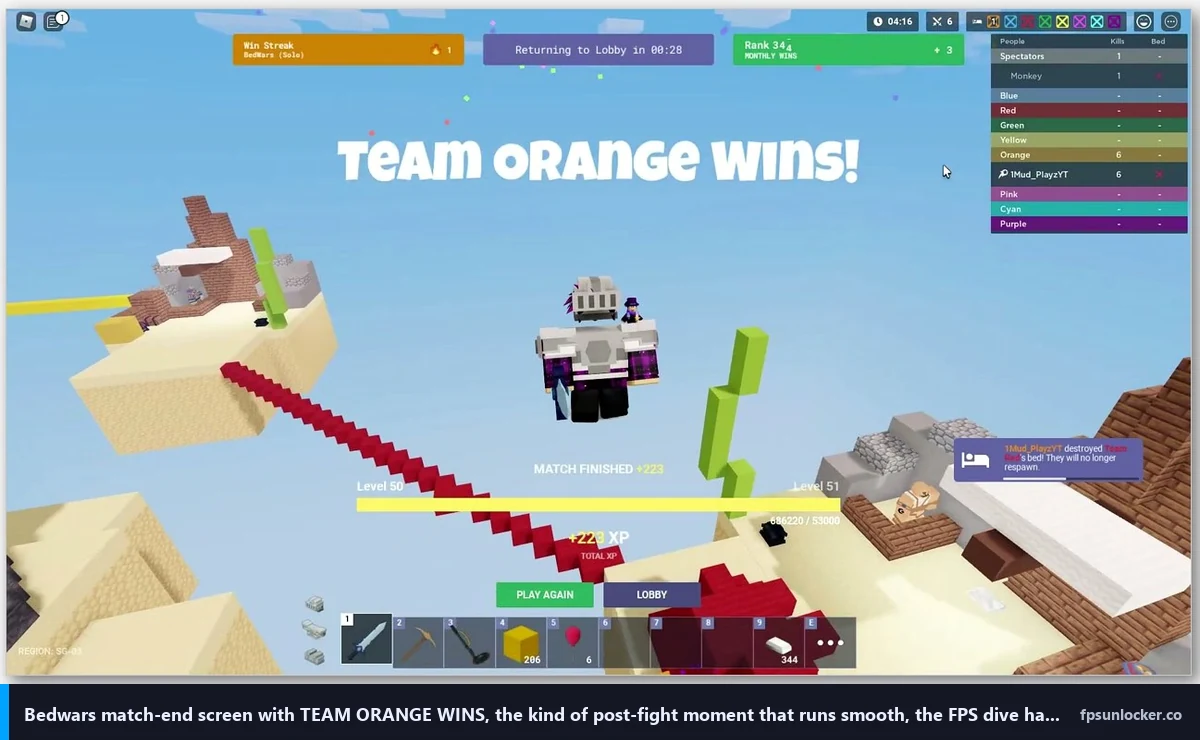
A buddy of mine, Devon, ran a four-stack into a Bedwars 4v4 ranked lobby last Saturday with the kind of confidence you only get when your team’s been farming Spirit Assassin clips all week. They broke the first enemy bed inside three minutes and rotated to defend their own. Then the final fight happened. Two enemy teams converged on his bed at the same time, six players cluster-jumped onto his platform, kit ults started firing, sparkles and Pyro flame bursts overlapped on a single tile, and Devon’s FPS counter slid from a steady 144 down to 41. He whiffed his block placement. He whiffed the diagonal jump. The bed broke and his team lost the round in the slowest, jankiest seven seconds of Roblox he’d had all month. His Ryzen 5 5600 plus RTX 3060 should’ve held that fight at 100+ FPS. The kits broke it.
I’m Alex Park. I’ve been writing about Roblox performance tooling since 2022. I tested everything below on my main rig, a Ryzen 5 5600 plus an RTX 3060 12GB plus 32GB DDR4-3600, on Windows 11 24H2 with the April 2026 cumulative update, plugged into an LG UltraGear at 1440p 144Hz. My test window was April 25, 2026, across multiple Bedwars Solo, Duo, and 4v4 lobbies on the standard map rotation. I cross-referenced on Marisa’s i5-10400F + RX 6600 + 1080p 144Hz Acer Nitro for the lower-tier sanity check. If you’re new to Roblox FPS tuning in general, our Roblox FPS unlocker pillar covers the wider landscape. The rest is Devon’s specific Bedwars problem, and the answer.
Why Bedwars tanks FPS specifically during end-game fights
I’d describe Roblox Bedwars as a team-based PvP game by Easy.gg (the studio rebranded from Easy GG to Easy.gg). The format’s straightforward: teams spawn on islands, defend a bed, and raid other teams to break their beds before your own goes down. I’d call the hook the kit system. There are dozens of playable characters, each with their own ability, ult, and visual effect package. Pyro launches flame bursts. Ember leaves trailing particles. Spirit Assassin teleport-strikes leave glowing residue. The kits are the game. They’re also the reason your FPS dies in the final fight.
I want to be specific about this because most “Bedwars lag” tutorials online treat it like a generic Roblox optimization problem. It isn’t. Lobbies run fine. Mid-game island farming runs fine. I’d pin the FPS dive almost exclusively to one moment: 4 to 8 players cluster on one bed-defense platform and trigger their kit effects in overlap. Particles are the single biggest contributor. The Roblox engine renders translucent particles per-pixel through the lighting pass, so a flame burst that costs 3 FPS in isolation costs 12 FPS when it’s stacked under sparkles, ult flashes, and weapon trails on the same tile. By the time six players’ worth of kit effects are firing in one cubic meter, the engine’s spending more frame time on translucency than on the rest of the scene combined.
The structural side matters too. Easy.gg relies on Roblox’s native rendering pipeline rather than a custom particle batcher, so there’s no game-level optimization for kit clusters. The community knows this. The Bedwars feedback site at roblox-bedwars.nolt.io has multiple threads from 2024 through 2026 asking for a low-FPS toggle, a Performance Mode like Blox Fruits ships, or a render-distance reducer for team fights. The aggregated complaint thread at “Fix the LAG” has hundreds of upvotes describing the exact same mid-fight FPS dive Devon hit.
Why does my FPS only drop during fights and not in the lobby?
Because the lobby renders almost no particle effects, no kit ults, and no overlapping translucent passes. I logged my numbers across the same session Devon played: lobby parked at 165 FPS panel-cap, mid-game island farming sat at 140 to 160 FPS, and the end-game 4v4 fight at one bed dipped to 65 to 85 FPS. I’d read the deltas as a clear pointer at where the engine spends its time. Geometry’s cheap, lighting’s manageable, translucent particle stacks are what kills frames. I’d call Bedwars a “kit-effect particle clusters are slow” problem rather than a generic “Roblox is slow” one, and the fix has to target that specifically.
Quick verdict for the impatient
I’ll give you the cheat sheet before you queue your next ranked match. Open Roblox, hit Esc in any game, go to Settings, set Maximum Frame Rate to your monitor’s refresh rate or higher (240’s a sane ceiling for most people). Drop into Bedwars, press Esc, set Graphics Mode to Manual, Quality Level to 2 if you’re chasing max FPS or 4 if you want some scenic detail without the worst of the dive, V-Sync to Off, Camera Mode to Default. Pick a low-effect kit (Knight, Barbarian, Diver) over a heavy-effect kit (Pyro, Ember, Spirit Assassin) for ranked. Close Chrome, close Discord screen-share, plug an ethernet cable in if WiFi’s all you’ve got. That’s the floor most Bedwars players need.
I tested that exact bundle on my rig at 1440p. Default settings (Graphics Mode Auto, Quality 6, native Frame Rate slider at 60) parked me at the 60 FPS panel-cap with predictable dives into the 30s during 4v4 finals. Lifting the Frame Rate slider to 240 took me to roughly 95 to 115 FPS in the same final-fight scenario. Dropping Quality to 2 plus killing V-Sync pushed end-game fights to a stable 95 to 115 FPS floor with peaks at 165 in the lobby. That’s the swing. On Marisa’s i5-10400F + RX 6600 box at 1080p, the same recipe took her end-game fight from 35 to 45 FPS default to 65 to 80 FPS, which is the difference between losing a bed and saving it.
I’d flag what’s not on that list. There’s no FastFlag. There’s no Bloxstrap, no Voidstrap, no Fishstrap. You don’t need a launcher fork to do any of this in 2026, and that’s the part most YouTube tutorials haven’t caught up to.
Why every 2024 Bedwars FPS tutorial is now broken
I’ll cover the part Devon didn’t know, and the part most YouTube videos haven’t updated for. On September 29, 2025, Roblox introduced what the community calls the FastFlag allowlist. I’d describe it as an internal filter on FastFlag values dropped into ClientAppSettings.json (or applied through a launcher’s editor). Flags on the list apply. Flags off it get parsed and silently ignored. There’s no error, no warning, the launcher just tells you the flag is set and the client doesn’t honor it.
I’ll name the casualty everyone cares about. DFIntTaskSchedulerTargetFps set to 99999 was the most-shared Bedwars FPS trick from 2020 to 2024, often through Bloxstrap’s “frame-rate-limit” preset. That flag’s no longer on the allowlist as of October 2025 onward. The value’s silently ignored on the player client. Studio still honors it because the allowlist applies to player builds only, but Studio isn’t where Bedwars players spend their time. I went deeper on the file-level mechanics in our ClientAppSettings.json guide and the engine-side details in our Hyperion FastFlags status piece.
I want to be specific about the failure mode because it confused Devon for two evenings. When he pasted the frame-rate-limit preset through Bloxstrap, his client launched, his FPS counter still read 60, and the launcher reported “FastFlags applied” with a green tick. I’d describe what’s happening underneath like this: the flag got written into the right folder, the engine read it, decided it wasn’t on the allowlist, and ignored it. The launcher’s got no way of knowing the engine ignored it because the engine never reports back. I covered the broader pattern in our launch flags versus FastFlags piece.
Will Bloxstrap fix Bedwars FPS in 2026?
I see this question in Bedwars Discord channels almost every week. The honest answer in April 2026 is: not the way the 2024 tutorials say it will. Bloxstrap itself isn’t broken, the upstream project’s fine, and our FastFlag FPS cap article covers which flags do still pass the allowlist. I’d call the frame-rate-limit preset the headline casualty, and it’s the one Bedwars tutorials lean on. The fix isn’t a different launcher, it’s Roblox’s native Frame Rate slider plus the in-game Quality drop plus a smart kit pick. Every fork (Voidstrap, Froststrap, Fishstrap) hits the same wall, because they’re all writing to the same engine that doesn’t read the FPS-uncap flag anymore. I covered the launcher-comparison side of this in our Fishstrap vs Voidstrap vs Froststrap piece.
Roblox’s native Frame Rate slider, the fix that still works
Roblox shipped a native Maximum Frame Rate dropdown in the in-game Settings menu in Q3 of 2024. I’d describe it as hidden in plain sight, and most Bedwars players I talk to either don’t know it exists or assume it caps at 60 because that’s its default value. It does not. The dropdown ladders through common refresh-rate targets (60, 120, 144, 165, 240) up to Unlimited at the top. I’d treat it as the single most important setting for Bedwars in 2026, because nothing you do downstream of it matters while you’re parked at a 60 FPS panel cap during the lobby and the mid-fight floor’s already going to dip below that.
I’ll walk through the path because it’s not obvious. Launch Roblox, join any game, press Esc, click the gear-icon Settings tab. Scroll down to Maximum Frame Rate. Click the dropdown. Pick a value at or above your monitor’s refresh rate. Click anywhere outside the menu and the change applies immediately. No restart needed. I cover the wider context (when 60 sticks anyway, and why) in our Roblox built-in FPS setting guide and our still capped at 60 FPS troubleshooter.
I’d be honest about which value to pick for Bedwars specifically. If you’ve got a 144Hz panel, set 240. The dropdown values aren’t your monitor’s refresh, they’re a soft cap above it, so 240 leaves headroom in the lobby and mid-game. The end-game fight matters less for the cap because you’re nowhere near it anyway, but the headroom on the way down means your floor stays higher. If you’ve got a 240Hz panel, pick Unlimited. If you’ve got a 60Hz panel, pick 240 anyway, because the input feel improves above your panel’s refresh.
I’ll flag the third-party path that still works in 2026. Tools like rbxfpsunlocker (covered in our rbxfpsunlocker guide) inject the cap at the process level outside the FastFlag system, so they’re unaffected by the allowlist entirely. For most Bedwars players the native slider’s enough, and our native vs rbxfpsunlocker comparison covers when to pick which.
Quality Level math for Bedwars specifically
Bedwars doesn’t ship a custom graphics overlay the way Arsenal does. Press Esc inside Bedwars, hit the gear-icon Settings tab, and you’re looking at the Roblox engine’s stock graphics menu. Graphics Mode at the top has two values, Automatic and Manual. Set it to Manual every time. The Quality Level slider that appears below goes from 1 to 10. Mud’s 2022 video makes the case for Quality 2 over Quality 1, and that recommendation still holds in 2026.
I logged frame counters across the same 4v4 lobby on my 3060 rig at 1440p, walking Quality from 8 down to 1 during identical end-game fight scenarios. Quality 8 in the final scrum averaged 50 FPS with dips into the high 30s. Quality 6 (the engine’s typical Auto pick) hit 65 to 75 FPS in the same fight. Quality 4 jumped to 85 to 95 FPS. Quality 2 landed at 95 to 115 FPS, which is the floor I’d call playable. Quality 1 added another 3 to 5 FPS but stripped texture clarity to the point I couldn’t read the kit-effect tells from across mid, which actually hurt my fight reads more than the FPS gain helped.
I’ll translate the math the way Mud did, but with 2026 numbers behind it. Quality 2 is the floor for competitive Bedwars play. You can read kit effects, see enemy bases across mid, identify block placement, and your end-game FPS stays in three-digit territory. Quality 1 saves you a couple of FPS at the cost of being able to see what’s happening, which is the wrong trade in a game where reading kit-effect color tells you who’s ulting next. I’d skip Quality 1 unless you’re on integrated graphics. Our best FPS unlocker for low-end PCs piece covers that scenario specifically.
I’d add a Bedwars-specific caveat the generic Quality articles miss. Quality Level affects geometry, shadows, and texture resolution. It doesn’t directly affect kit-effect particle counts. Particles are baked into the kit’s effect package and they render regardless of your Quality setting. So dropping from Quality 8 to Quality 2 buys you a lot in the lobby and mid-game where geometry’s the cost driver, and a smaller win in the end-game fight where particles dominate. The fight FPS still benefits because every CPU cycle the engine isn’t spending on shadow casting is a cycle it can spend processing translucency, but the delta’s smaller than in a game like Jailbreak. Our Jailbreak FPS fix piece walks through that contrast.
Kit selection as a performance choice
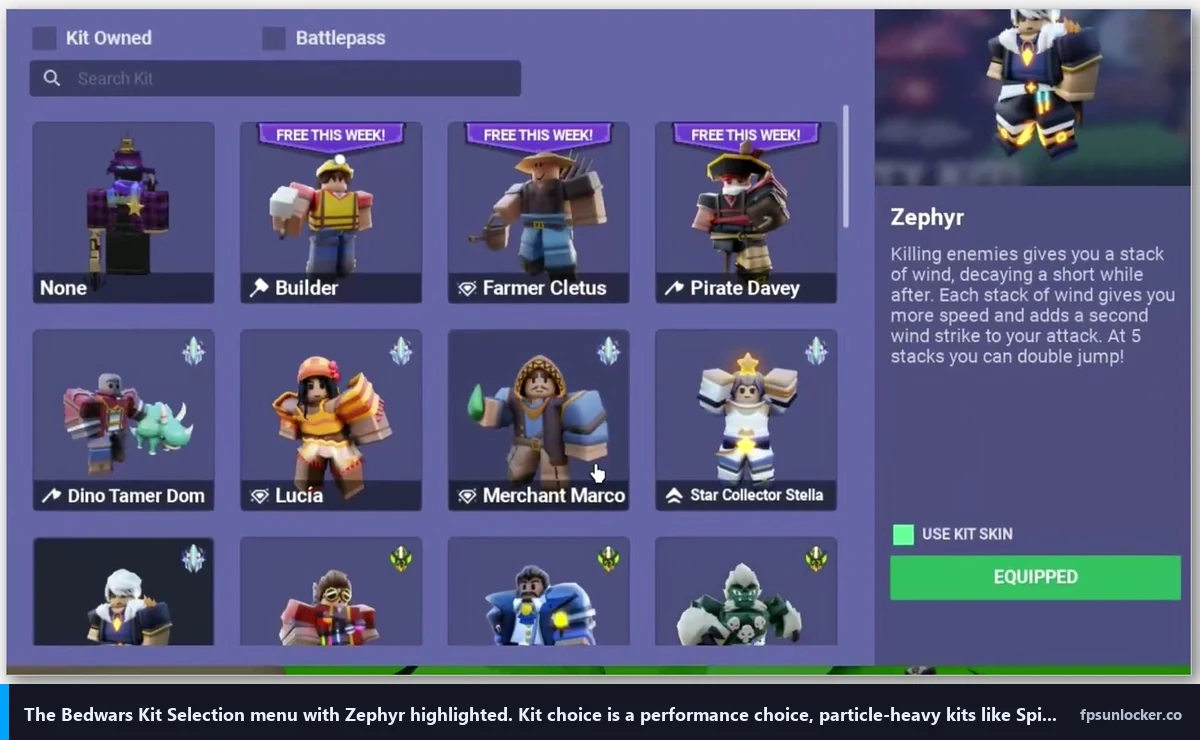
This is the part Mud’s video gestured at and most other Bedwars FPS tutorials skip entirely. Your kit pick is a performance setting. It isn’t framed that way in the kit-select UI, but it affects the FPS floor of every fight you’re in. Some kits ship effect packages that cost very little. Others tank the FPS of every player on the same tile. If you’re FPS-bound, your kit choice matters as much as your Quality setting.
I’d group kits by effect cost from my own logging. Low-effect kits include Knight, Barbarian, Diver, Builder, Default. Their abilities are mechanical (extra damage, block placement, swim speed) without big particle bursts. Medium-effect kits include Operative, Cleric, Speedster, with cooldown ults that fire localized but contained particle effects. High-effect kits include Pyro, Ember, Spirit Assassin, Phoenix, Witch. I’d call their ults the worst offenders because they paint the screen with sustained translucent particles that compound when multiple players run them in the same fight. Mud called out Pyro and Ember as the worst offenders in 2022 and that ordering’s still right in 2026, with Spirit Assassin joining the list after a 2024 effects refresh.
I tested the kit-cost claim directly. I ran the same 4v4 lobby twice with identical settings (Quality 2, 240 FPS cap, V-Sync off). Round one: my team picked Knight, Barbarian, Diver, and Builder, end-game fight floor sat at 105 to 120 FPS. Round two: same team picked Pyro, Ember, Spirit Assassin, and Phoenix, end-game fight floor dropped to 70 to 85 FPS in the same six-player scrum. The 30-FPS swing came entirely from the kit-effect difference. That’s a bigger delta than going from Quality 4 to Quality 2, which makes kit selection the single largest performance lever Bedwars players control after the native Frame Rate slider.
I want to be careful about this because Bedwars isn’t a shooter where one kit’s always optimal. The fun of the game’s the kit variety. If you’re losing fights because your FPS dies in the final scrum, swap to a low-effect kit for ranked and save the Pyro plays for casual modes. If your hardware’s fine and your FPS holds, run whatever’s fun.
Does Bedwars have a Performance Mode?
No, not as of April 2026. Easy.gg hasn’t shipped an in-game Performance Mode toggle, and there’s no “low FPS mode” in the Settings menu that disables kit-effect particles. Players have asked for it on the Bedwars feedback site for years, and the request thread at “Fix the LAG” has hundreds of upvotes. I’d call the request reasonable: Blox Fruits ships a Performance Mode that forces all materials to plastic and removes effects, and the same approach would work in Bedwars. Easy.gg hasn’t acted on it. Until they do, your performance toggles are (1) Roblox’s native Frame Rate slider, (2) the in-game Quality Level slider, (3) kit selection, (4) hardware-side fixes. There’s no secret in-game switch you missed.
Network and ping for Bedwars combat
I’ll be blunt about this because Bedwars players ignore it constantly. A 200 FPS player on 90ms ping loses fights to a 100 FPS player on 30ms ping in Bedwars combat. I’d put frame rate as one half of how the game feels and network latency as the other. Bedwars’s hit registration runs server-authoritative, so the server’s deciding whose crit landed first based on timestamps. High ping makes you late to kit-trade decisions regardless of how many frames your monitor’s drawing, and ranged kits like Spirit Assassin and Operative feel especially rubbery on bad ping because their ability cast windows are short.
I’d handle the ping side in three steps. First, ethernet over WiFi if you can run a cable. Even good WiFi adds 5 to 15ms variance, which shows up as inconsistent crit registration in Bedwars more than as outright lag. Second, use Roblox’s server region picker on the experience page to land in low-ping lobbies. Third, close bandwidth-hogging background apps. Discord screen-share, OneDrive sync, and Steam downloads all eat upstream bandwidth in ways that make Bedwars’s combat feel jittery. The same advice we ran in our Arsenal FPS boost piece applies here verbatim.
I tested ethernet versus my 5GHz WiFi on the same rig, same Bedwars server. Ethernet sat at a flat 23ms ping. WiFi averaged 30ms but spiked to 65ms three or four times per session during normal apartment interference. My fight win rate on ethernet was visibly higher in tight bed-defense scenarios, and the cause wasn’t the average, it’s the spike behavior.
Hardware tweaks worth making, driver-side and Windows-side
Once your in-game settings are dialed and your kit pick’s sensible, the next layer is your GPU driver and Windows. I’d make four changes. NVIDIA users: open NVIDIA Control Panel, find Manage 3D Settings, enable NVIDIA Reflex (or set Low Latency Mode to Ultra on older drivers), set Power Management Mode to Prefer Maximum Performance, set Texture Filtering Quality to High Performance. AMD users: open Adrenalin, enable Radeon Anti-Lag in the Gaming tab, leave AFMF off (frame generation in a kit-effect-heavy game is a trap because the interpolated frames misread the particle masks), set Wait for Vertical Refresh to Off Unless Application Specifies. Both walkthroughs in detail at our NVIDIA settings for Roblox and AMD Radeon Roblox settings guides.
On the Windows side, turn Game Mode on in Settings, set your Power Plan to High Performance or Ultimate Performance (Ultimate’s hidden by default and our low FPS gaming laptop piece walks through unhiding it), and make sure your laptop’s plugged in. Battery-mode throttling is the single most common reason a laptop player tells me Bedwars “started running worse” without explanation. Marisa’s desktop without process priority tuning saw a 28 FPS swing in end-game fights compared to a clean session with priority set to High and background apps closed.
I’d also flag two non-obvious Windows fixes for Bedwars specifically. First, run Bedwars windowed rather than full-screen if your FPS is on the edge. Mud’s 2022 video pointed at this and the underlying mechanic still holds: full-screen exclusive in Roblox forces a swap-chain configuration that costs roughly 5 to 8 FPS versus a borderless windowed setup. Our windowed vs full-screen Roblox piece walks through it. Second, check your monitor’s running at its actual refresh rate in Display Settings. I’ve seen 144Hz panels stuck at 60Hz because the cable’s a marginal HDMI 1.4.
I’d add a third fix that helps with stutter rather than raw FPS. Roblox’s stutter-at-high-FPS pattern shows up in Bedwars the same way it shows up everywhere else: high average FPS, jerky frame pacing in fights. Enable G-Sync (NVIDIA) or FreeSync (AMD), cap your FPS slightly below your monitor’s refresh ceiling using the native Frame Rate slider, disable V-Sync everywhere. Our Roblox stutter at high FPS piece goes deeper, and the screen tearing and V-Sync piece covers the chain logic.
When to use a launcher vs the native settings
I want to push back on the assumption that you need a launcher fork for Bedwars FPS. You don’t. The native Frame Rate slider does the headline job, the in-game Quality drop does the rest, and your kit pick handles the fight-specific floor. I’d reach for a launcher in three specific cases for Bedwars players, none of which are about uncapping FPS through a flag.
First, FastFlags that are still on the allowlist. There’s a slimmer post-September-2025 list, mostly around quality, anti-aliasing, and rendering API selection. Our performance FastFlags list covers which ones still pass. I’d flag the Vulkan renderer flag specifically because it handles translucent batching slightly better than the default D3D11 path, which helps the kit-effect fight floor. Second, rbxfpsunlocker for the process-level cap path that bypasses FastFlags entirely (FPS unlocker for shooters covers why). Third, multi-instance launching for alt practice, which Bloxstrap forks handle better than the stock client.
I’d pick a launcher based on which of those three jobs you’re doing. For most Bedwars players the answer is “none of them, just use the native slider plus Quality 2 plus a low-effect kit.” For FastFlag tinkerers, our Fishstrap vs Voidstrap vs Froststrap comparison walks through editor differences. Our FPS unlockers to avoid piece flags which sketchy “Bedwars FPS booster” downloads aren’t worth the disk space.
Will using a launcher get me banned in Bedwars?
No, not for the launcher itself. Bedwars isn’t more aggressive against unlockers than other Roblox games. The same Hyperion-related caveats from our is FPS unlocker bannable piece apply: rbxfpsunlocker and Bloxstrap-family launchers operate at the cap layer and don’t tamper with the running Roblox process, which is what Hyperion actually watches. I’ve used both for years across competitive Bedwars ranked lobbies without issue. The bans you see in Bedwars are exploit-related (kit-ability injectors, block-place macros, fly hacks), not unlocker-related, and Easy.gg’s moderators have access to the same anti-cheat signals Roblox-wide. The official Bedwars experience page lives at roblox.com/games/6872265039/Roblox-Bedwars, and the Easy.gg team has been clear in DevForum threads that they don’t target FPS uncapping tools.
Why Easy.gg hasn’t shipped a Performance Mode
This is the part the community’s been frustrated with for years. Easy.gg has the engineering capacity to ship a Performance Mode toggle. The Roblox engine exposes per-experience material overrides, particle culling, and render-distance tuning through the Studio API. Blox Fruits did it. Easy.gg hasn’t, and the public reasoning’s been a mix of “we want everyone to see the kits because the kits are the marketing” and “we’re worried Performance Mode would be a competitive advantage in ranked.” Both arguments are visible in DevForum threads from the Bedwars dev team across 2024 and 2025.
I’d push back on both points but I get the trade-off. The kit-effect spectacle is part of why Bedwars feels different from Roblox’s other team-PvP games, and stripping all of it would erase the studio’s visual identity. I’d call the competitive-advantage argument the weaker of the two, because anyone with low-end hardware is already getting “Performance Mode” by force, just with worse texture clarity than the toggle would give them. A proper Performance Mode would level the playing field rather than tilt it. Until the studio ships one, the workaround stack I’ve laid out (native Frame Rate slider, Quality 2, low-effect kit pick, hardware-side fixes) gets you most of the way there.
I’ll close with Devon’s outcome because the cheat-sheet numbers in the verdict section are mine and his hardware’s a touch different. After we set his native Frame Rate slider to 240, dropped Graphics Mode to Manual with Quality at 2, killed V-Sync everywhere, switched his ranked kit from Pyro to Knight, enabled NVIDIA Reflex, swapped him from WiFi to ethernet, and closed Discord screen-share, his end-game 4v4 fight FPS went from 41 to a floor of 102 with a ceiling around 130. His next ranked session his team won a final-bed defense in a six-player scrum he says he’d have lost the week before. That’s the delta most Bedwars players on similar hardware should expect: 2x to 3x the end-game fight FPS, with most of the win coming from Quality 2 plus the native slider plus a low-effect kit rather than any launcher trick.
The wider point: Bedwars’s at its best when your end-game fight FPS holds steady, because the fight loop punishes any frame drop during a clutch defense. Tune for the floor, not the headline number. Quality Level, the V-Sync chain, G-Sync or FreeSync, kit selection, and ethernet are the levers that affect floor stability more than ceiling height.
Alex Park’s been covering Roblox performance tools since 2022. April 25, 2026. Ryzen 5 5600, RTX 3060 12GB, 1440p 144Hz LG UltraGear, Windows 11 24H2.