A mom messaged me last week through the site contact form. Her twelve-year-old had downloaded something called “rbxfpsunlocker” because his friends in Da Hood kept telling him his game looked choppy, and now she was watching him click past a Windows SmartScreen warning with the kind of frozen dread only parents of Roblox kids understand. “Is this going to get his account banned? He has like 18,000 Robux in there.” I’ve been getting variations of this same question since 2019, which is when I first started unlocking my own FPS on a GTX 1060 rig that’s now living its second life as my nephew’s starter PC. The account I made back in 2019, same email, same hardware ID across multiple motherboards at this point, has never caught a single moderation action, and I’ve been running rbxfpsunlocker the entire time.
So I want to answer this mom’s question properly, because I think a lot of folks are getting the answer half right from TikTok or a random Reddit comment, and the full picture actually matters. The nuance is the whole point.
TL;DR. No. Neither rbxfpsunlocker, Bloxstrap’s built-in unlocker, Fishstrap, Voidstrap, nor Roblox’s own native Max Frame Rate setting carries ban risk in 2026. Roblox Corporation themselves shipped that native slider in May 2024, which is about as clear a corporate endorsement of the concept as you’re ever going to get. The actual danger is fake “FPS unlocker” downloads from sketchy sites that ship exploit loaders alongside the real binary. Grab the tool only from the official GitHub, and you’re fine.
What Roblox’s anti-cheat actually looks for in 2026
The anti-cheat on the Roblox Windows client is Hyperion, which is the rebranded name for what most of us first knew as Byfron when it rolled out in 2023. Roblox renamed it to Hyperion in late 2024 after fully integrating it into the standard Windows installer, and the system has been iterating quietly ever since. I’ve been reading DevForum posts and watching patch notes for years on this, and the scope of what Hyperion actually watches hasn’t fundamentally changed.
Hyperion scans for exploit injection into the Roblox process. It looks at unsigned DLLs attaching themselves to the client, at script execution through known exploit engines, at memory modifications that change gameplay state like player position, health, walkspeed, or hitboxes. It watches for network packet tampering that would let someone spoof server events. It checks for patches to game-logic variables that live in RAM during a session. That’s the threat model: people trying to cheat in real matches, get unfair advantages, or break the trust layer between client and server.
What Hyperion does not care about is how fast your monitor refreshes or how often the Roblox render loop finishes a frame. It’s not scanning for frame-rate timing modifications because frame rate isn’t a gameplay variable. If you’re running at 30 FPS, 60 FPS, 144 FPS, or 360 FPS, the server doesn’t see any difference whatsoever. None of your movement speed, hit registration, projectile spawn rate, or anything else tied to game state cares about your local refresh cadence. The server runs its own tick, and that tick is what counts.
Why FPS unlockers don’t trip Hyperion
I want to get specific about what rbxfpsunlocker actually does, because once you understand the mechanism, the ban-risk question kind of answers itself. The tool writes to a single integer variable inside the Roblox client’s task scheduler. That integer is the target frame rate. By default Roblox sets it to 60. The unlocker changes it to whatever you pick (commonly unlimited, 144, 240, or 360). That’s the entire operation. It’s not injecting code into the process. It’s not patching executable bytes on disk. It’s not hooking DirectX calls. It’s not modifying any gameplay variable. It’s literally one number being rewritten, and that number only affects how often the render loop bothers to draw a new frame.
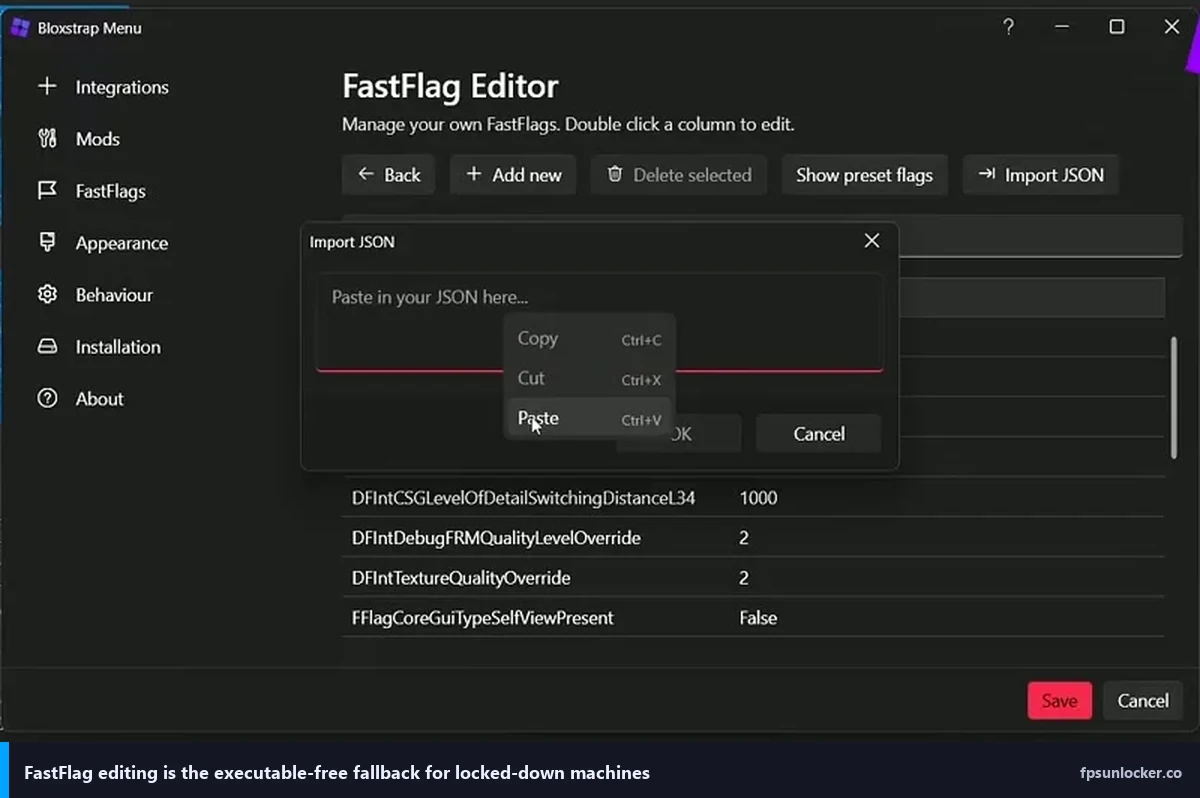
Bloxstrap, Fishstrap, and Voidstrap take an even more elegant route. They write the FPS cap change through Roblox’s own FastFlag system, which is a configuration layer Roblox engineers use internally to toggle features. Since 2024, Roblox has been shipping FastFlags that include user-controllable render settings, and bootstrapper tools just flip those flags before the client boots. That’s indistinguishable from a user changing an in-app setting, because mechanically, it’s the same thing. Hyperion sees no injection, no tampering, no abnormal process behavior. I’ve written a whole separate piece breaking this comparison down in detail at rbxfpsunlocker vs Bloxstrap.
The Roblox staff position, made crystal clear in 2024
This is where the debate ended, honestly. In May 2024 Roblox staff posted the DevForum thread titled “Introducing the Maximum Framerate setting,” which rolled out a first-party in-app slider letting every player raise their cap up to their monitor’s actual refresh rate, with higher tiers available on capable hardware. You can now pick your cap from Settings without installing anything at all. I’ve got a full walkthrough of that at our native FPS setting guide, and for the FastFlag mechanics underneath, see FastFlag FPS cap.
Here’s the logic that basically closes the case. If unlocking frame rate were bannable behavior, Roblox would not have built the feature themselves, named it “Maximum Framerate,” slapped it directly into the official in-app settings menu, and written a DevForum announcement about it. Companies don’t ship a feature and then ban users for using a third-party version of the same feature. The third-party tools predate the official one by about five years, and they’re doing mechanically the same thing: raising an integer cap.
The historical record since 2019
I’ve been watching the FPS unlocker scene since axstin’s rbxfpsunlocker hit widespread adoption around late 2019. In seven years, across r/roblox, r/robloxgamedev, the official Roblox DevForum, multiple RDC conferences, and countless YouTube comment sections, I have never seen a single documented case of a mass ban tied to an FPS unlocker. Not one. The closest you’ll find is people posting panicked “did my unlocker just get me banned” threads where the actual ban reason turned out to be an exploit script they forgot they installed, an alt account flagged for farming, or a chat moderation flag from something their little sibling typed.
Roblox moderators have spoken on this periodically. The general staff response pattern, paraphrased from various DevForum replies, is something like “we don’t moderate based on third-party cosmetic tools; we moderate based on violations of the Community Standards and cheating detection.” Frame rate isn’t a violation. I’d bet my 2019 account on it, and I literally am every time I boot the game.
Where the actual ban risk comes from
Here’s the part that genuinely matters, and this is where I want parents to pay attention. The real danger isn’t the category “FPS unlocker.” It’s the fake FPS unlockers that ship as wrappers around actual exploit loaders or remote access trojans. I’ve seen sketchy websites with names like “robloxfpsunlocker-pro[dot]net” or “fpsbooster-roblox[dot]xyz” that serve up a file calling itself rbxfpsunlocker but which, when you run it, also installs KRNL, Synapse X clones, or worse, a RAT that harvests your .ROBLOSECURITY cookie and empties your Robux balance overnight.
Those bundles will absolutely get you banned, and not because of the FPS part; the exploit loader part is what sets off Hyperion. If the tool you downloaded is dropping a DLL into your Roblox process, injecting scripts, or reading memory it shouldn’t be, you’re going to eat a ban, and you’ll have earned it. The worse outcome is account theft, because cookie-grabber malware doesn’t even need to run during a Roblox session. It just sends your login token to a Discord webhook and the attacker logs in from their own machine.
How to tell a legit FPS unlocker from a sketchy one
I’ll keep this direct. There are exactly two sources I trust, and I have zero reason to trust anything else. Grab rbxfpsunlocker from axstin’s official GitHub repo (github.com/axstin/rbxfpsunlocker), where the releases page shows every version with source code attached and checksums visible. Grab Bloxstrap from the official GitHub repo, same deal. Those are the canonical repositories, they’ve been stable since release, and the maintainers are known community figures who have staked their reputation on the code. My full setup walkthrough for axstin’s build lives at the rbxfpsunlocker guide.
Do not download an “FPS unlocker” from a generic website that pops up in a Google ad. Don’t grab it from a YouTube description that runs through a URL shortener. Don’t take it from a random Discord server even if your friend swears it’s legit. The legitimate rbxfpsunlocker.exe file is roughly 200 KB, it’s distributed inside a release ZIP with source code available alongside, and SmartScreen may warn you on first launch because it’s an unsigned indie binary (that’s normal for small open-source tools and isn’t a danger signal by itself, though it does deserve caution).
What actually triggers bans in Roblox in 2026
For context, here’s the honest list of things that do get people banned so you can calibrate. Exploit injection through Synapse, KRNL, Fluxus, or any similar client-side engine will trigger Hyperion immediately. Account sharing, particularly the follow-the-leader bot farming patterns that show up in Pet Simulator clones, gets flagged behaviorally. Being reported by other players for offensive chat, harassment, or inappropriate avatars drives moderation action. Using stolen accounts or logging in with someone else’s cookie is an obvious one. Using alt accounts to evade an existing ban is a hard-ban trigger, because Roblox HWID-flags the hardware after repeat offenses.
None of those categories include “rendered frames faster than the default setting.” I want to say that one more time, because it’s easy to miss in a long article. Frame rate unlocking is not on the ban list. It was never on the ban list. Roblox built the same feature into their own app.
Corporate and managed PC context
If you’re on a school laptop, a work machine, or any PC managed by Microsoft Intune or a similar endpoint policy, you’ll likely see unsigned third-party executables get blocked before they even run. That’s not a Roblox ban. That’s your IT department’s AppLocker or Defender policy doing exactly what it was configured to do. I’ve had readers email me panicking about “Roblox blocked my unlocker,” and then it turned out their school’s MDM stack was blocking the exe file entirely. In that situation, just use the native Max Frame Rate slider inside Roblox’s own settings menu. It’s a first-party feature baked into a signed app, so no endpoint policy is going to flag it.
Mobile and console reality check
I want to close this loop for folks playing on other platforms. iOS Roblox and Android Roblox have no FPS unlock option at all, third-party or otherwise; the mobile apps are locked by the OS to system refresh behavior. Xbox Series X|S and PlayStation 5 are the same story, where Roblox ships with platform-enforced caps tied to each console’s render pipeline. So the ban-risk question on those platforms is zero by definition because there’s nothing to unlock. Mobile TikTok videos that claim otherwise are fake. If you’re on console, you’re not doing any of this.
Has anyone actually been banned for using rbxfpsunlocker?
I’ve looked. Not a single documented case exists where the moderation reason traced back to an FPS unlocker after community investigation. Every “I got banned for rbxfpsunlocker” thread I’ve seen on Reddit or DevForum since 2019 has resolved into a different actual cause once someone asked follow-up questions. If you want a more detailed technical breakdown of why this keeps happening, I’ve got a piece at why your Roblox is still capped at 60 FPS that walks through some of the adjacent troubleshooting confusion that leads to these reports.
Does the native Max Frame Rate slider carry any risk?
Zero. It’s a first-party feature inside the official Roblox app. You can’t get banned for using a setting Roblox themselves built, announced, and documented. That’s the whole argument in one sentence.
What if Roblox’s stance changes tomorrow?
Extremely unlikely given they shipped the feature themselves in 2024 and have expanded it in every Windows client update since. If the stance ever did shift, the DevForum would light up within hours, the major YouTubers covering Roblox tools would push emergency videos the same day, and I’d have an update on this page before the sun went down. The community telegraph on these things is fast. You’d know.
The plain-English closing
So here’s the summary I’d hand to that mom if she asked me again today. Your kid using an FPS unlocker is safe, but only from the right source. Pick axstin’s GitHub for rbxfpsunlocker, or the official Bloxstrap GitHub for Bloxstrap. Ignore any other website trying to offer you a “Roblox FPS unlocker download,” because those aren’t what they claim to be. If you’re on a locked-down school or work PC, or if you just don’t want to deal with any of the above, open Roblox, head to Settings, and slide the Maximum Framerate option up to your monitor’s refresh rate. Done. Same result, zero third-party anything, zero ban risk, zero Windows SmartScreen warnings, zero worry.
I’ve been running one of these tools daily since 2019 on an account that’s carried me through more Jailbreak, Da Hood, and Phantom Forces matches than I care to count. Nothing’s happened. Nothing is going to happen. Use the right source and play your game.