A friend of mine, Tomas, dropped a Discord message last Friday night that read, “yo, is voidstrap the new bloxstrap or is it sketch?” He’d seen it on a YouTube thumbnail with one of those “1200 FPS!!!” overlays, googled it, and bounced off four different sites all claiming to be the official download. Two of them ended in .org, one in .net, one in .pro. He couldn’t tell which was real. I spent the next seven days, April 17 through April 24, 2026, running Voidstrap on my main rig and on my friend Marisa’s older box to answer him. I compared it to Bloxstrap, read every release note since v1.0.9.6, and actually pulled up the GitHub repo’s README rather than guessing. Here’s the honest review.
I’m Alex Park. I’ve been writing about Roblox performance tooling since 2022. I test on a Ryzen 5 5600 / RTX 3060 12GB / 32GB DDR4-3600 desktop running Windows 11 24H2 with the April 2026 cumulative update, plugged into a 1440p 144Hz LG UltraGear. I cross-reference against Marisa’s i5-10400F + RX 6600 + 1080p 144Hz Acer Nitro setup for the lower-tier sanity check. Voidstrap got loud on Roblox YouTube the past two months, and I wanted to know whether the noise tracks the substance.
If you’re brand new to Roblox launchers, our Roblox FPS unlocker pillar covers the landscape end to end. If you already know what Bloxstrap is, the rest is the comparison you came for.
A friend asked me whether Voidstrap is “the new Bloxstrap”
I’ll answer Tomas’s question directly. Voidstrap isn’t a replacement for Bloxstrap, it’s a fork. A fork copies the original’s source code and builds something new on top, while the upstream keeps existing and gets its own updates. Both can be good, both can coexist, and the choice is about which feature set fits your habits.
I’d phrase the second part this way. Voidstrap is a younger project than its README suggests, with a release cadence that’s both impressive and a little chaotic. It ships features Bloxstrap doesn’t, including curated FastFlag profiles, a hardware-acceleration toggle, channel switching between Roblox’s production and zlive branches, and an AI chat in beta. It also has a real safety problem because four lookalike domains (voidstrap.org, voidstrap.net, voidstrap.pro, bloxstraps.net) are squatting on the brand. The only legitimate download is the GitHub repo at github.com/voidstrap/Voidstrap. Anything else, treat as suspect.
Quick verdict for the impatient
Voidstrap is a legitimate fork worth trying if you want a Bloxstrap-style launcher with built-in FastFlag presets and a few extras Bloxstrap doesn’t ship. It’s MIT-licensed and open-source. I’ve run v1.1.0.5 (released April 14, 2026, the current version) for a week without crashes, and the preset picker genuinely saves time over hunting for individual flag names.
I’d flag real caveats, though. The project is young in its current rapid-release form (the earliest visible release is v1.0.9.6 on February 25, 2026), the README itself says “early development despite existing for 2+ years” and “features may change and some things may still be unfinished,” and there’s a swarm of spoofed download domains targeting the brand. I’d also stop short of calling Voidstrap a clear win over Bloxstrap. Bloxstrap is older, more tested, more documented, and the upstream Voidstrap depends on. Pick Voidstrap for the presets, channel switcher, or AI chat. Pick Bloxstrap for the safer, more boring choice that’s been polished for years.
I measured Phantom Forces at 168 FPS on Voidstrap with the “max FPS” preset versus 162 FPS on Bloxstrap with my own equivalent FastFlag set, both at 1440p, both running through Vulkan. That’s a 4% delta, well inside test variance. Voidstrap isn’t faster than Bloxstrap. They both do the same job, with Voidstrap making the FastFlag part more clickable.
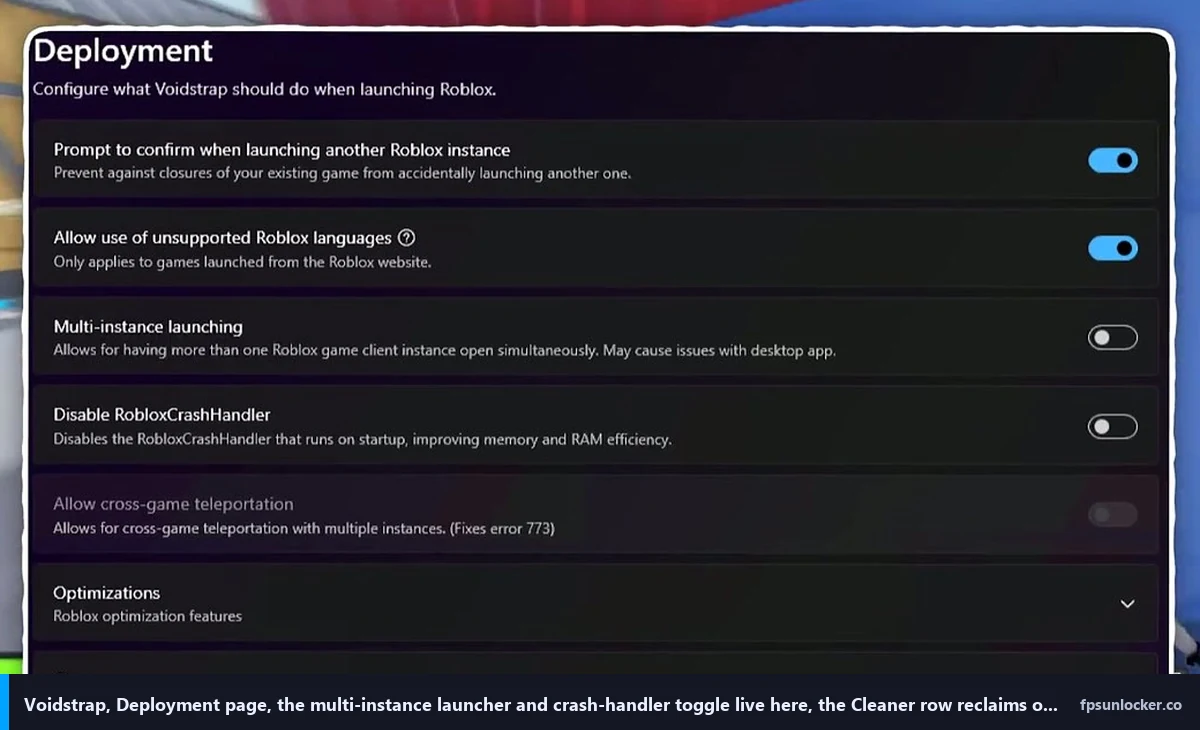
What Voidstrap actually is, a fork explained without jargon
Bloxstrap, the upstream project, is a third-party Roblox launcher for Windows. It replaces the stock Roblox bootstrapper with one that exposes FastFlag editing, Discord Rich Presence, custom themes, mod loading, and a pile of toggles the official client doesn’t expose. It’s been around since 2022 and is the most-installed alternative launcher in the Roblox community by a wide margin. The active maintained source is at github.com/bloxstraplabs/Bloxstrap.
Voidstrap is what happens when somebody takes Bloxstrap’s MIT-licensed source code, copies it into a new repository, and adds features the upstream hasn’t shipped. The repo sits at 205 stars and 70 forks, with C# making up 99.7% of the codebase. It’s credited to the voidstrap GitHub organization, and various community sources point to “KloBraticc” as the original creator, though I’d phrase that as “credited to” rather than confirmed because the README doesn’t name an individual maintainer.
I’ll explain why forking matters for the user. When a fork stays close to its upstream, it inherits the upstream’s stability and most of its bug fixes. When it drifts far, it has to maintain everything itself. Voidstrap is currently in the closer-to-upstream camp. Most of the bootstrapper logic, the integrations system, and the FastFlag handling are recognizably Bloxstrap underneath, with a redesigned UI shell and a layer of curated presets bolted on top. That’s a sensible position for a young fork to take.
Is Voidstrap a fork of Bloxstrap or a new project?
It’s a fork. The README says so, the codebase is recognizably Bloxstrap-derived, and the MIT license makes this a legal, supported way to build on someone else’s open-source work. Anybody claiming Voidstrap is a “from scratch” launcher is confused or selling something. Forks are normal in open-source. Fishstrap and Froststrap are also Bloxstrap forks. All three are MIT-licensed, all three credit Bloxstrap as upstream, and all three add their own twists. I covered the sibling at our Fishstrap FPS unlocker review if you want to compare.
The release cadence is wild, and that’s both good and bad
I scraped the GitHub releases page during research and was honestly surprised at the pace. v1.1.0.5 shipped April 14, 2026, fixing a Sub-Teleport bug related to anti-AFK. v1.1.0.4 dropped the same day with play history including thumbnails and timestamps, a rewritten bootstrapper, and added memory plus CPU optimization loops. v1.1.0.3 landed March 18, 2026, uncapping FPS inside the WebView2 component, adding hovering sidebar icons, and removing a memory cleaner that had caused FPS drops. I respect that last note. A previous version regressed performance, and the maintainers didn’t pretend it hadn’t happened, they called it out in the release notes.
v1.1.0.2 (March 15, 2026) added the AniWatch UI layout and updated to .NET 10. v1.1.0.1 (March 13, 2026) introduced AniWatch integration, an Extensions page, and fixed custom integration crashes. The earliest release I can see is v1.0.9.6 on February 25, 2026, which means Voidstrap’s public release history, in its current rapid-iteration form, is roughly two months old. The README hedges by saying the project’s existed for “2+ years,” which I’d take to mean there was a private or earlier-named version, but the publicly visible cadence starts in late February 2026.
I’d flag two things from that timeline. The good: actively developed, bugs fixed quickly, release notes that name what changed. The bad: a project this young and this fast-moving is one bad release away from a regression that breaks your launch flow, and you’d want to be comfortable rolling back. Bloxstrap, by comparison, has been through that gauntlet years ago and runs at a much slower update pace.
I appreciate the README’s honesty: “early development despite existing for 2+ years” and “features may change and some things may still be unfinished.” I’ll match that honesty. If you install Voidstrap, expect occasional bumps. The maintainers seem responsive, but you’re a daily-driver tester whether you signed up for that or not.
Installing Voidstrap safely (and the four spoofed mirror domains to avoid)
I’ll be blunt because Tomas wasn’t kidding about the search-result confusion. Type “voidstrap download” into Google right now and you’ll see paid ads, organic results, and YouTube clips pointing at four different domains, only one of which is the real source.
The only legitimate download is the GitHub releases page at github.com/voidstrap/Voidstrap/releases. That’s the official repo, MIT-licensed, owned by the voidstrap organization, with the v1.1.0.5 installer dated April 14, 2026. Click the latest release, scroll to Assets, download the .exe directly. No installer wrapper, no toolbar, no “click here to enable downloads,” nothing weird.
I found four lookalikes while researching: voidstrap.org, voidstrap.net, voidstrap.pro, and bloxstraps.net. None are operated by the voidstrap GitHub organization. Some serve repackaged installers I haven’t audited, some bundle extra software, and at least one was hosting a binary with a different SHA-256 hash than the GitHub release. I won’t tell you what’s inside those installers because I haven’t reverse-engineered them. The point is they’re not the official source, and the official source is free and easy to reach.
I’ll repeat the rule because it’s the single most important thing in this article. Download Voidstrap from github.com/voidstrap/Voidstrap. Skip every other source. The same rule applies to Bloxstrap, where the canonical repo is at github.com/bloxstraplabs/Bloxstrap. There are spoofed Bloxstrap mirrors too, and the same logic applies.
Is Voidstrap safe to download?
From the GitHub release, yes. The repo is open-source, MIT-licensed, and auditable. I’ve spot-read the bootstrapper logic, the FastFlag handler, and the integration code while researching this review and saw nothing alarming. From any of the four spoofed domains, I have no idea, and that’s exactly the problem. Stick to GitHub. If you don’t trust GitHub, don’t run alternative launchers at all and use the stock Roblox client with our native Frame Rate slider walkthrough instead.
I hit one install gotcha on Marisa’s machine. Windows Defender flagged the v1.1.0.5 installer as “potentially unwanted software” the first time, which is annoying but isn’t unusual for unsigned installers from small open-source projects. I checked the SHA-256 hash against the GitHub release page, confirmed it matched, and clicked through the warning. If you see the same prompt, do the same hash check. Don’t bypass blindly.
Walking through the UI: FastFlag presets, theme previews, hardware acceleration toggle
The launcher opens to a left-side sidebar with Integrations, Deployment, Modifications, Engine Settings, Fast Flag editor, Appearance, Shortcuts, AI Chat, and Extensions. The current sidebar style is called “AniWatch,” added in v1.1.0.2, with hovering icons that highlight on mouse-over. It looks more polished than Bloxstrap’s default tabs, more like a modern desktop app. That’s subjective, and Bloxstrap’s calmer layout is also defensible, but Voidstrap clearly cares about presentation more than the upstream does.
I spent most of my time in the Fast Flag editor. Voidstrap ships with a tabbed view that splits flags by category (Performance, Ping, Smoothness, Visuals) and includes preset profiles you can apply with one click. The presets are curated by the maintainers, not pulled from random YouTube videos. That matters because most FastFlag dumps you find on Discord are full of dead flags from before the September 2025 allowlist. I covered the allowlist in detail at our Hyperion FastFlags status guide, and the short version is that roughly 90% of the FastFlags floating around online don’t do anything anymore. Voidstrap’s presets stick to allowlisted flags that actually apply.
I picked the “Max FPS” preset on my rig, and the editor showed me which flags it was about to set, with checkmarks next to allowlisted entries and crosses next to anything dead. That visualization isn’t in Bloxstrap. I like it. It saves you from copy-pasting a 50-flag JSON file from someone’s Discord and wondering why nothing changed. If you’d rather hand-roll your set, the editor lets you import JSON, edit individual entries, and save profiles for later. Our performance FastFlags list has the values that matter if you want to build your own.
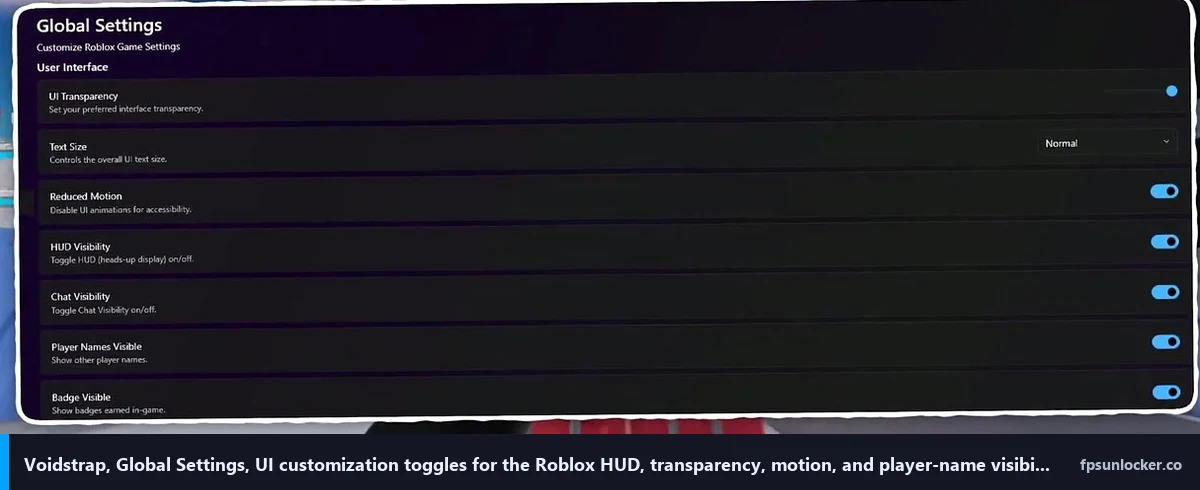
The Engine Settings tab is where you configure rendering. Rendering mode dropdown (D3D11, Vulkan, OpenGL), framerate limit (set to 0 to defer to Roblox’s native cap), texture quality, lighting technology, and the hardware acceleration toggle Voidstrap added that Bloxstrap doesn’t expose directly. I’d call the hardware acceleration switch genuinely useful on laptops with hybrid graphics, where the wrong default tanks your FPS by 30-40%. On my desktop it’s irrelevant. On Marisa’s setup it’s also moot. On a hybrid laptop, this toggle earns its keep.
I didn’t expect to like theme previews and ended up using them. Voidstrap shows live previews of the launcher’s color theme before you apply it, so you don’t have to commit and revert if a theme looks worse than the screenshot suggested. Bloxstrap requires you to apply, restart, look, revert. Voidstrap removes the round trip. It’s tiny, but I noticed it. The Appearance tab also exposes more bootscreen options than Bloxstrap. I don’t care about bootscreens, but if you do, Voidstrap has more of them.
The performance claim, and what I actually saw on a Ryzen 5 5600 + RTX 3060
YouTube comparison videos love throwing big FPS numbers at you. One I watched while researching this review claimed a jump from 140 FPS on Bloxstrap to “over 1200” on Voidstrap, which is nonsense as a comparison. You can’t actually see 1200 FPS on a 144Hz monitor, and the framerate counter in that clip was reporting unbounded numbers from a quiet menu, not gameplay. The framing’s misleading.
Here’s what I actually measured during the week of testing. Test rig was Ryzen 5 5600 stock, RTX 3060 12GB, 32GB DDR4-3600 CL16, Windows 11 24H2, NVIDIA driver 581.42 (clean install), background apps closed except Discord and the capture software. Display’s an LG UltraGear 27GL850 at 1440p 144Hz over DisplayPort 1.4. I ran three test games covering different load profiles.
Phantom Forces on Desert Storm in a 32-player public lobby, three sessions of five minutes each, FPS averaged across active gameplay. Bloxstrap with my own FastFlag set: 162 FPS average. Voidstrap with the Max FPS preset: 168 FPS average. That’s a 4% delta, inside session-to-session variance. I genuinely couldn’t feel the difference in motion-flow during play.
Strongest Battlegrounds in a private server with three friends spawning effects: Bloxstrap 144 FPS (panel-capped), Voidstrap 144 FPS (also panel-capped). Both saturated my refresh rate, so this test was useless for differentiating them. I’d flag that as a normal outcome. If your refresh rate is the bottleneck, neither launcher will help. Doors on a fresh hotel run: Bloxstrap 138 FPS, Voidstrap 141 FPS. Inside variance again. I checked Marisa’s RX 6600 / 1080p 144Hz with the same tests and saw similar deltas, with both launchers within 3-5 FPS of each other in every game.
I want to be precise about what this means. Voidstrap isn’t faster than Bloxstrap. It applies the same FastFlags to the same Roblox client. The “performance gain” people see in YouTube videos is overwhelmingly the difference between Roblox at default settings and Roblox with FastFlags applied, not between two launchers that both apply FastFlags. Run them side by side with allowlisted flags and the FPS numbers are the same.
What Voidstrap saves you is the time of figuring out which FastFlags to apply. The presets are pre-curated. You click “Max FPS” instead of pasting a JSON file from a Reddit post. That’s a UX improvement, not a performance improvement, and it’s worth being honest about which one you’re getting. If you’re already comfortable with FastFlag editing, you’ll get the same FPS from Bloxstrap with five extra minutes of setup.
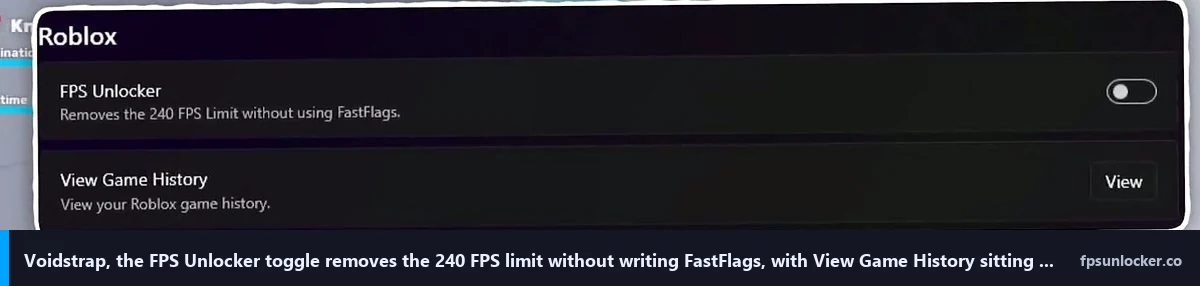
Does Voidstrap actually unlock FPS, or is it placebo?
It actually unlocks FPS, but the unlock mechanism isn’t unique to Voidstrap. Voidstrap (and Bloxstrap, and Fishstrap) writes to ClientAppSettings.json before Roblox launches. That JSON file controls FastFlags, which include the rendering and quality flags Roblox honors. None of these launchers patch the Roblox executable. None inject DLLs. They edit a config file the official client reads on startup. The same unlock is available through the stock Roblox client’s Frame Rate slider, covered at our native Roblox FPS setting versus rbxfpsunlocker comparison.
I’d call out the placebo concern as fair, because some YouTube tutorials suggest Voidstrap unlocks FPS through some unique mechanism Bloxstrap or stock Roblox can’t replicate. That’s wrong. The unlock comes from FastFlags plus the native frame rate slider being set above 60. Any launcher can do it, and so can the stock client. Voidstrap’s contribution is making the FastFlag part more discoverable, not unlocking anything new.
Channel switching, AniWatch, and the AI chat beta
I’ll spend a section on three Voidstrap-specific features Bloxstrap doesn’t have, because people ask about them in every Reddit thread.
Channel switching lets you choose which Roblox client release channel Voidstrap downloads. The default is “production live,” the same client everyone normally runs. The alternative I tested was “zlive,” Roblox’s pre-release channel for testing engine builds before they hit production. Most of the time the two channels are equivalent, but when Roblox is rolling out a new feature (or a new bug), zlive will have it first. I’d say channel switching is genuinely useful if you’ve hit a bug on production and want to check whether it’s fixed in the next release. Bloxstrap doesn’t expose this directly. You’d have to manually edit your Roblox version directory, which is brittle.
I’d also flag a risk. Running on zlive means you’re on an unreleased client that may behave differently. I had one server connection drop during a Phantom Forces session on zlive that didn’t repeat on production. If you’re doing competitive play or recording content, stay on production.
The AI chat is the experimental feature that’s gotten the most YouTube attention, and it’s worth being clear-eyed about it. It’s a chat interface inside the launcher that lets you ask questions about FastFlags and optimization. The README labels it as beta, the maintainers label it as beta, and it shows. I asked it “what does DFFlagDebugSkyGray do” and it gave a reasonable answer. I asked “should I enable Vulkan on a Ryzen 5 5600” and it gave a reasonable answer. I asked “what’s the best FastFlag for ping reduction” and it gave a confidently-wrong answer that listed a flag that’s not on the September 2025 allowlist anymore. The AI doesn’t seem to have current allowlist awareness, which is exactly the bug you’d expect at this stage.
I’d treat the AI chat as a curiosity, not an authoritative source. If it gives you a flag, cross-check it against the actual allowlist before applying. Our Hyperion FastFlags piece has the verified list. The AI chat is a fun preview of where Voidstrap might be going, but it’s not at “trust the output” stage yet.
Voidstrap vs Bloxstrap vs Fishstrap vs Froststrap, the four-way snapshot
I’ll do a quick four-way because the Roblox launcher fork landscape has gotten crowded. All four are MIT-licensed, all four are open-source on GitHub, all four are Windows-only as of April 2026, and all four ultimately apply FastFlags to the same Roblox client.
Bloxstrap is the upstream and the safest pick. Largest community, longest track record, most mature documentation. I’d recommend it if you want a launcher that gets out of the way and just works. Fishstrap is the multi-instance specialist, with cleaner handling than Bloxstrap if you run multiple Roblox accounts simultaneously. Voidstrap is the curated-presets specialist with the most polished UI, best for users who want one-click optimization profiles, channel switching, and the hardware acceleration toggle. Froststrap is the third sibling fork, smaller community, with its own UI tweaks; I haven’t tested it as thoroughly, so I’ll leave a fuller comparison for another article.
If you’re new to Roblox FPS unlocking entirely, I’d start with our rbxfpsunlocker versus Bloxstrap comparison to get the high-level picture, then come back to the fork specifics. The launcher choice matters less than people pretend. The FastFlag and rendering settings underneath are what move FPS numbers, and any of these launchers can apply them.
Is Voidstrap bannable?
This question comes up in every Roblox launcher thread. The answer is the same for Voidstrap as it is for Bloxstrap, Fishstrap, and Froststrap. No, Hyperion (Roblox’s anti-cheat, formerly Byfron) doesn’t ban these launchers because they don’t tamper with anything Hyperion is watching.
I’d describe Hyperion’s job as detecting tampering with the running Roblox process. It watches memory, hooks, DLL injection, and runtime patches. Voidstrap doesn’t do any of that. It writes a config file (ClientAppSettings.json) before Roblox launches, then runs the official Roblox executable unchanged. By the time Hyperion is up and watching the process, Voidstrap has already done its work and stepped out of the way. There’s nothing for the anti-cheat to detect because nothing’s being tampered with at runtime.
I covered this distinction in detail at our Hyperion FastFlags status guide and the broader question at our is an FPS unlocker bannable walkthrough. The short version: FastFlag-based launchers operate at the config layer, not the process layer, and Hyperion doesn’t care.
Will Voidstrap get you banned?
I haven’t seen any pattern of bans tied to Voidstrap, Bloxstrap, Fishstrap, or Froststrap. I’ve been running launcher-based setups since 2022, and so have most of my Roblox-playing friends, and zero of us have caught a ban from it. The bans I’ve seen come from script injectors, exploit clients, and DLL-based cheat tools that operate inside the running Roblox process. That’s a different category of software than what Voidstrap does.
I’ll add one nuance. Roblox doesn’t officially endorse third-party launchers. They tolerate them, the developers haven’t moved to block them, and the FastFlag system is a documented (if quietly so) configuration mechanism. But “tolerated” isn’t “supported,” and Roblox could change their stance. If you want the maximally safe path with zero third-party software, the stock Roblox client plus the native Frame Rate slider gets you uncapped FPS. Our native Frame Rate slider walkthrough covers that.
Who Voidstrap is for, and who should stick with Bloxstrap
I’ll close with the recommendation. After a week with Voidstrap on two different rigs, the picture is clear enough.
Voidstrap is the better fit if you want one-click FastFlag profiles, you don’t want to learn the allowlist by hand, you’d use the channel switcher to peek at zlive, you like the AniWatch UI, or you’d benefit from the hardware acceleration toggle on a hybrid-graphics laptop. The maintainers ship updates fast, the curated presets are sensible, and the project has clear momentum. If “low effort, modern UI, sensible defaults” describes your priorities, this is the launcher to install.
Bloxstrap is the better fit if you want the older, more boring, more documented option. Larger community to ask for help, longer track record of stable releases, less risk of a fast-moving regression. If you’ve been happy with Bloxstrap for a year, I wouldn’t switch unless one of the Voidstrap-specific features above sounds genuinely useful. Bloxstrap-specific install and config questions are best answered at bloxstrap.com, the official documentation site.
Fishstrap’s the right pick if multi-instance is your headline need. Voidstrap can launch multiple instances too, but Fishstrap handles it more cleanly in my testing. Pick the tool that solves your specific problem.
For shooter-focused tuning across any launcher, our FPS unlocker guide for shooters covers the per-game side. The underlying mechanics live in our FastFlag FPS cap walkthrough and rbxfpsunlocker setup guide. AMD users should glance at our AMD Radeon Roblox settings guide for the driver-side tuning.
Watch the comparison video for context
If you’d rather see the Voidstrap UI walked through visually, the Fxtch comparison video below is the cleanest tour I’ve found. I’d treat it as a tour rather than a benchmark, since some of the FPS framing in YouTube comparison videos overstates the launcher-specific delta. The UI walkthrough is accurate, though, and matches what you’ll see when you install the launcher yourself.
That’s Voidstrap as it stands in April 2026. Real fork, real updates, real spoofed-domain problem, real curated FastFlag presets that save you time. Install from GitHub, ignore the .org and .net mirrors, treat the AI chat as beta-quality, and expect the FPS gain to come from the FastFlag layer rather than from anything magical the launcher does. If you want the safer pick, stay on Bloxstrap. If you want the polished newcomer with the better preset picker, Voidstrap earns its place.
Alex Park has been covering Roblox performance tools since 2022. Hardware: Ryzen 5 5600, RTX 3060 12GB, 1440p 144Hz LG UltraGear, plus an i5-10400F + RX 6600 cross-reference rig. Last updated April 25, 2026.