A friend of mine, Theo, sent me a clip last weekend of his Lamborghini-knockoff doing 180 MPH out of the downtown bank in Roblox Jailbreak with a police chopper inbound, and the moment three squad cars dropped onto the highway behind him his FPS counter slid from a steady 90 to a chunky 32 in about half a second. He’d lost the chase, lost the cash, and dropped into our group chat with the line, “I think Jailbreak just hates my PC.” His Ryzen 5 5500 plus RTX 3050 should’ve been pushing well past 32 FPS even in heavy traffic. He’d done what most Jailbreak players do in 2026, which is search “Jailbreak FPS boost” on YouTube, watch a 2022-uploaded tutorial that still says “*2024*” in the title, paste a FastFlag preset through Bloxstrap, and assume the lag was his fault when nothing changed. The video he followed has half a million views. The trick in it stopped working in October 2025. Nobody updated the video.
I’m Alex Park. I’ve been writing about Roblox performance tooling since 2022. I tested everything below on my main rig, a Ryzen 5 5600 plus an RTX 3060 12GB plus 32GB DDR4-3600, on Windows 11 24H2 with the April 2026 cumulative update, plugged into an LG UltraGear at 1440p 144Hz. My test window was April 24 and 25, 2026, across a dozen public Jailbreak servers covering downtown city, the prison perimeter, and the crater map zone. I cross-referenced on Marisa’s i5-10400F + RX 6600 + 1080p 144Hz Acer Nitro for the lower-tier sanity check. If you’re new to Roblox FPS tuning, our Roblox FPS unlocker pillar covers the wider landscape.
Why Jailbreak punishes FPS harder than other Roblox games
Jailbreak is a cops-and-robbers open-world game on Roblox developed by Badimo, the studio that’s run it since 2017. It’s pulled billions of total visits and still draws tens of thousands of concurrent players in April 2026. I’d describe its format simply: criminals rob, cops chase, vehicles do most of the talking. The map’s the part that matters for FPS. Badimo’s expanded it repeatedly (the Crater update, the rebuilt downtown, the prison perimeter, the airport rework) and the geometry budget has crept up with every release. Jailbreak’s lag isn’t your PC failing at “a Roblox game,” it’s your PC trying to render an open-world city plus dozens of physics-driven vehicles plus a couple dozen players plus NPC traffic, all at once, on an engine historically built for instanced obby experiences.
I want to be specific about how this stacks against the shooters. In Phantom Forces, dropping Quality from 10 to 2 buys roughly a 60% FPS gain on my 3060. In Arsenal, the same drop buys 65 to 75%. In Jailbreak, that same drop doubles my FPS on the same hardware. It’s a bigger delta because the open-world geometry means each Quality step is doing more work than its shooter equivalent. Jailbreak rewards Quality tuning more than any other Roblox game I test regularly.
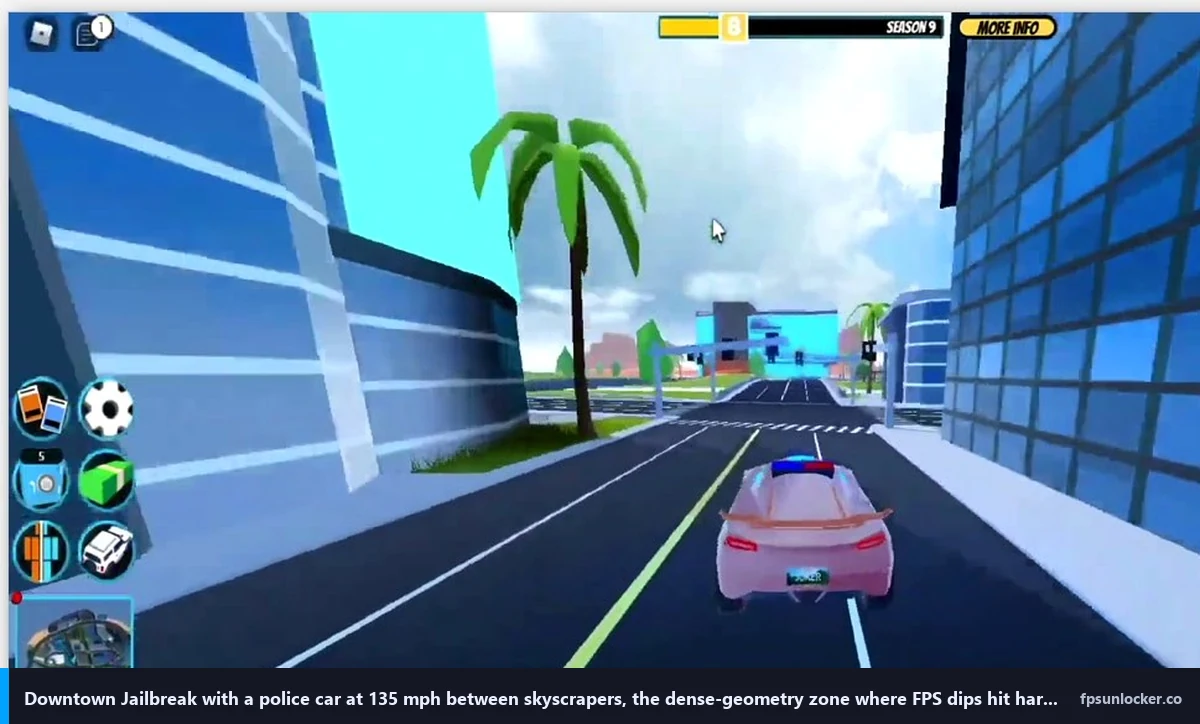
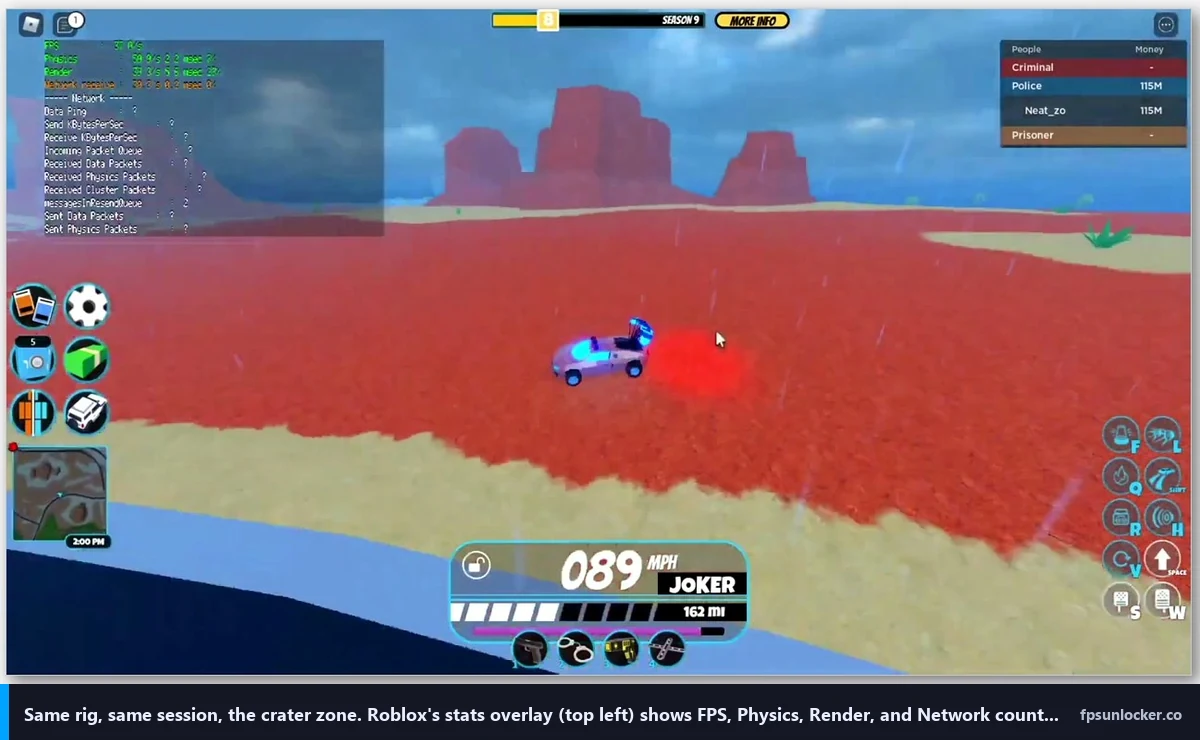
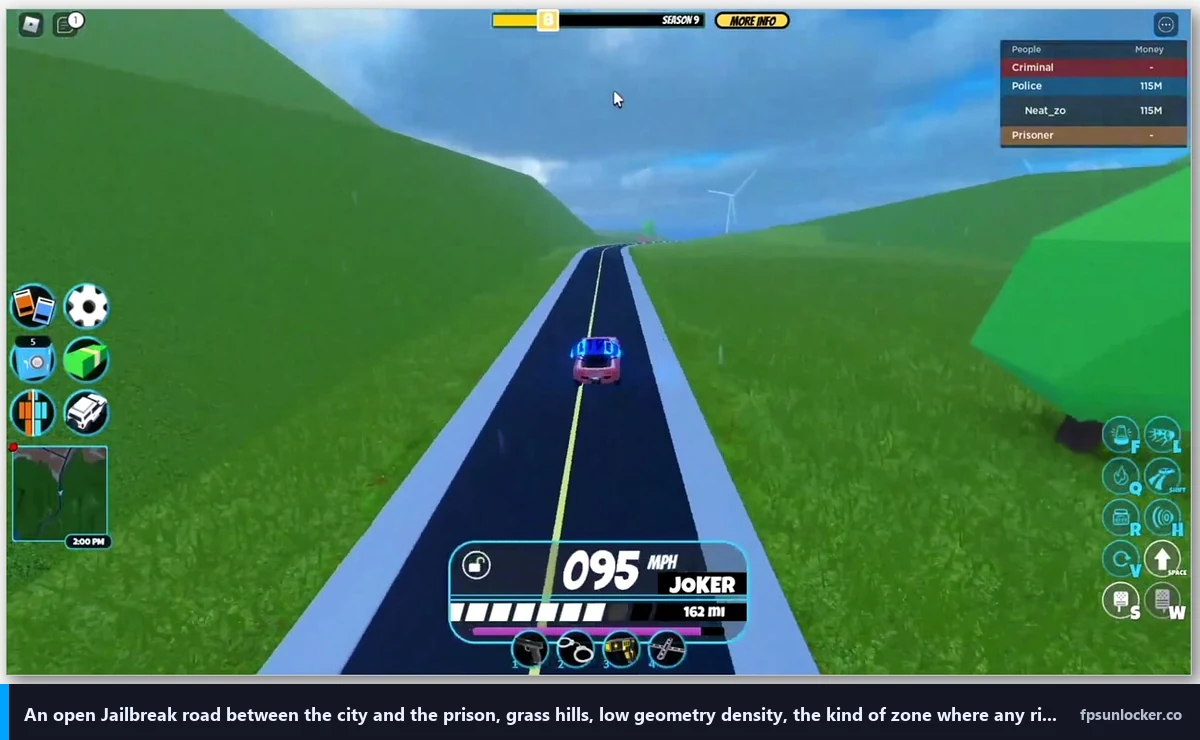
I’d also flag the per-zone variance. Downtown city is dense (skyscrapers, parking decks, traffic, NPC pedestrians, dynamic lighting from the bank’s neon) so it’s where FPS bottoms out. The prison’s medium-heavy. The crater map zone is the lightest because it’s mostly open terrain with a few rock formations. I’ve watched my FPS swing 80 frames between downtown and crater on the same server with no settings changes, which is a bigger zone-driven swing than I see in any shooter map.
Quick verdict for the impatient
I’ll give you the cheat sheet before you queue your next chase. Open Roblox, hit Esc in any game, go to Settings, set Maximum Frame Rate to your monitor’s refresh rate or higher (240 is a sane ceiling for most people). Drop into Jailbreak, press Esc, go to Settings, set Graphics Mode to Manual, Quality Level to 2 if you’re chasing max FPS or 5 if you want some scenic detail, V-Sync to Off, Camera Mode to Default. Close Chrome, close Discord screen-share, plug an ethernet cable in if WiFi’s all you’ve got. That’s the floor most Jailbreak players need.
I tested that exact bundle on my rig at 1440p. Default settings (Graphics Mode Auto, Quality 6, native Frame Rate slider at its 60 default) parked me at the 60 FPS panel-cap with predictable dips into the 40s during downtown chases. Lifting the Frame Rate slider to 240 took me to roughly 95 to 115 FPS depending on the area, with downtown sitting on the lower end and the crater pushing the upper end. Dropping Quality to 2 then pushed downtown to roughly 165 to 200 FPS and the crater past 220 FPS. On Marisa’s i5-10400F + RX 6600 box at 1080p, the same recipe took her from 60 default to roughly 75 to 95 FPS in the city, which is CPU-bound rather than GPU-bound (the i5-10400F’s the limiter, not the RX 6600).
I’d flag what’s not in this recipe. There’s no FastFlag, no Bloxstrap, no Voidstrap, no Fishstrap. You don’t need a launcher fork to do any of this in 2026, and that’s the part most YouTube tutorials haven’t caught up to.
Why every 2024 Jailbreak FPS tutorial is now broken
I’ll cover the part Theo didn’t know, and the part most YouTube videos haven’t updated for. On September 29, 2025, Roblox introduced what the community calls the FastFlag allowlist. It’s an internal filter that decides which FastFlag values dropped into ClientAppSettings.json (or applied through a launcher’s editor) actually do anything. Flags on the list apply. Flags off it get parsed and silently ignored. There’s no error and no warning, the launcher just tells you the flag is set and the client doesn’t honor it.
I’ll name the casualty everyone cares about. DFIntTaskSchedulerTargetFps set to 99999 was the most-shared Jailbreak FPS trick from roughly 2019 to 2024, often through Bloxstrap’s “frame-rate-limit” preset. That flag is no longer on the allowlist as of October 2025 onward. The value is silently ignored on the player client. Studio still honors it because the allowlist applies to player builds only, but Studio isn’t where Jailbreak players spend their time. I went deeper on the file-level mechanics in our ClientAppSettings.json guide and the engine-side details in our Hyperion FastFlags status piece.
I want to be specific about the failure mode because it confused Theo for a week. When he pasted the frame-rate-limit preset through Bloxstrap, his client launched, his FPS counter still said 60, and the launcher reported “FastFlags applied” with a green tick. The flag got written into the right folder. The engine read it, decided it wasn’t on the allowlist, and ignored it. The launcher has no way of knowing the engine ignored it because the engine never reports back. I covered the broader pattern in our launch flags versus FastFlags piece.
Will Bloxstrap fix Jailbreak FPS in 2026?
This is the question I see in Jailbreak Discord channels almost weekly now. The honest answer in April 2026 is: not the way the 2024 tutorials say it will. Bloxstrap itself isn’t broken, the upstream project is fine, and our FastFlag FPS cap article covers which flags do still pass the allowlist. The frame-rate-limit preset is the headline casualty, and it’s the one Jailbreak tutorials lean on. The fix isn’t a different launcher, it’s Roblox’s native Frame Rate slider plus the in-game Quality drop. Every fork (Voidstrap, Froststrap, Fishstrap) hits the same wall, because they’re all writing to the same engine that doesn’t read the FPS-uncap flag anymore. I covered the launcher-comparison side of this in our Fishstrap vs Voidstrap vs Froststrap piece.
Roblox’s native Frame Rate slider, the unlock that still works
Roblox shipped a native Maximum Frame Rate dropdown in the in-game Settings menu in Q3 of 2024. I’d describe it as hidden in plain sight, and most Jailbreak players I talk to either don’t know it exists or assume it caps at 60 because that’s its default value. It does not. The dropdown ladders through common refresh-rate targets (60, 120, 144, 165, 240) up to Unlimited at the top. I’d treat it as the single most important setting for Jailbreak in 2026, because nothing you do downstream of it matters while you’re parked at a 60 FPS panel cap.
I’ll walk through accessing it because the path isn’t obvious. Launch Roblox, join any game, press Esc, click the gear-icon Settings tab. Scroll down to Maximum Frame Rate. Click the dropdown. Pick a value at or above your monitor’s refresh rate. Click anywhere outside the menu and the change applies immediately. No restart needed. I cover the wider context (when 60 sticks anyway, and why) in our Roblox built-in FPS setting guide and our still capped at 60 FPS troubleshooter.
I’d be honest about which value to pick. If you’ve got a 144Hz panel, set 240. The dropdown values aren’t your monitor’s refresh, they’re a soft cap above it, so 240 leaves headroom for the engine to hit your panel ceiling consistently in Jailbreak’s heavier zones. If you’ve got a 240Hz panel, pick Unlimited. If you’ve got a 60Hz panel, pick 240 anyway, because the input feel improves above your panel’s refresh even when the panel can’t display the extra frames.
I’ll flag the third-party path that still works in 2026. Tools like rbxfpsunlocker (covered in our rbxfpsunlocker guide) inject the cap at the process level outside the FastFlag system, so they’re unaffected by the allowlist entirely. For most Jailbreak players the native slider is enough, and our native vs rbxfpsunlocker comparison covers when to pick which.
In-game Quality Level, the single biggest lever in Jailbreak
Jailbreak doesn’t ship with its own custom Graphics overlay the way Arsenal does. Press Esc inside Jailbreak, hit the gear-icon Settings tab, and you’re looking at the Roblox engine’s stock graphics menu. Graphics Mode at the top has two values, Automatic and Manual. Automatic lets the engine pick a Quality Level based on what it thinks your hardware can handle, and the engine is bad at this judgement call in Jailbreak specifically because the per-zone variance trips its detection logic. Set Graphics Mode to Manual every time. The Quality Level slider that appears below it goes from 1 to 10, with 1 being the lightest visuals and 10 being the heaviest.
I logged frame counters across the three main map zones on my 3060 rig at 1440p, walking Quality from 10 down to 2. Quality 10 in downtown averaged 58 FPS with dips into the high 30s during chases. Quality 8 sat at 70-85 FPS. Quality 6 (the engine’s typical Auto pick) hit 95-115 FPS. Quality 4 jumped to 130-160 FPS. Quality 2 landed at 165-200 FPS, occasionally pushing 220 in lighter zones. Quality 1 added another 5-10 FPS at most but cost so much texture clarity I couldn’t read shop signs from across the highway. Quality 2’s the floor most players want.
I’ll translate that math. Each step from 1 to 10 costs roughly 15 to 25 FPS on a 3060 in downtown at 1440p. Going from Quality 10 to Quality 2 doubled my FPS, a bigger delta than the same swap buys in Phantom Forces or Arsenal. The reason is the open-world map: every Quality step in Jailbreak is stripping shadows, distant buildings, vehicle reflections, and dynamic lighting across a larger world geometry budget than a confined shooter map carries.
I’d add the visual-versus-FPS framing for context. Most competitive Jailbreak players I watch run Quality 2 or 3. Most casual scenic players who post screenshots run Quality 6 to 8 for the lighting and reflections. I’d pick a side: Quality 2 if you’re chasing frames, Quality 7 if you’re posting screenshots. Don’t park at 5 hoping to balance both, because you’ll get neither.
Map-zone FPS variance: downtown vs crater vs prison
Jailbreak’s map isn’t a single performance profile. I logged the same Quality 2 settings across the three primary zones on my 3060 rig and got noticeably different averages. Downtown city, the densest zone with skyscrapers, parked cars, NPC pedestrians, and the bank’s neon lighting, averaged 165 to 180 FPS in idle and dropped to 130 to 150 during chases. The prison perimeter (medium-density: walls, watchtowers, perimeter road, fewer NPCs) averaged 195 to 215 FPS. The crater map zone (lightest: open terrain, a few rock formations, sparse buildings) averaged 220 to 240 FPS, occasionally bumping the 245 mark.
I’d flag the practical implication for chase routing. If you’re FPS-bound and already running Quality 2, route the chase through lighter zones when the cash drop allows it. The crater run from prison out to the rural roads gives you a 50-FPS headroom buffer over a downtown bank chase. Theo lost his bank chase partly because the highway exit dumps you into downtown’s heaviest geometry at the worst moment, when your FPS dip overlaps with a police-car cluster spawning behind you.
Why does my FPS drop in downtown but stay high at the crater?
Because downtown is rendering roughly three to four times the geometry per frame that the crater is. Skyscrapers are tall draw-call stacks. Parked cars are physics-active props the engine still has to consider for collision even when nobody’s driving them. NPC pedestrians animate on every tick. The bank’s neon contributes dynamic lighting that bounces off windows. The crater has none of those. I’d treat the FPS variance as a feature of how Jailbreak’s open world is built rather than a bug. The fix isn’t to drag your downtown FPS up to crater levels (you can’t, the geometry is just heavier), it’s to make sure your downtown floor stays above your monitor refresh in active fights. That’s what Quality 2 plus the native Frame Rate slider buys you.
Vehicle spawns, NPC traffic, and round-transition stutter
I’ll cover the three Jailbreak-specific stutter patterns I see most. Vehicle spawns, where a player drives a new car onto the highway and your FPS dips for half a second as the engine streams in the model and physics. NPC traffic clusters, where the AI cars converge at intersections and the collision-update tick spikes. And round-transition stutter, where Jailbreak cycles servers between map states and you get a 1-2 second FPS drop as assets reload. Each one has a different cause and a different mitigation.
I’ll cover vehicle-spawn stutter first. The first time a car model appears in your view, the engine streams its mesh, textures, and physics into memory, and that costs a frame or two. Subsequent spawns of the same model are smoother because the assets are cached. I’ve found playing for 10-15 minutes after server-join genuinely improves average FPS because the cache fills up. The mitigation is structural: don’t hop lobbies between rounds, and accept that the first chase will feel choppier than the fifth.
I’d call NPC traffic clusters the worst micro-stutter source in downtown. When AI cars converge at highway intersections (the on-ramp by the bank, the off-ramp by the airport), the physics tick evaluates 12-20 vehicles at once for collision, lane-keeping, and brake-light state. I’ve watched my 1% lows tank from 120 FPS to 60 FPS for one frame at exactly those clusters. There’s no setting to disable NPC traffic, but Quality 2 reduces the rendering cost of the cars so the per-frame cost shrinks even if the physics stays the same.
I’d treat round-transition stutter as cell-cycling. When Jailbreak hits a state transition (round timer expires, prison reset, crater event spawn) the engine reloads chunks of the world. That’s a 1-2 second frame drop you can’t fully avoid through settings, but you can shorten it by closing background memory hogs. Discord screen-share, Chrome with 30 tabs open, and OneDrive sync all eat the working memory the streaming cache needs. Closing them shortens transition stutter from 2 seconds to roughly half a second.
Network and ping for Jailbreak combat
I’ll be blunt about this because Jailbreak players ignore it constantly. A 200 FPS player on 90ms ping loses chases to a 100 FPS player on 30ms ping in Jailbreak combat. Frame rate is one half of how the game feels. Network latency is the other half, and Jailbreak’s PvP combat has bullet-spread modeling and vehicle physics reconciliation that need consistent low ping for the netcode to feel right. High ping makes you late to bullet-trade decisions regardless of how many frames your monitor’s drawing, and it makes vehicle ramming feel rubbery in ways that lose chases.
I’d handle the ping side in three steps. First, ethernet over WiFi if you can run a cable. Even good WiFi adds 5 to 15ms variance, which shows up as inconsistent vehicle handling in Jailbreak more than as outright lag. Second, use Roblox’s server region picker in the experience page (or join through a friend in your region) to land in low-ping lobbies. Third, close bandwidth-hogging background apps. Discord screen-share, OneDrive sync, and Steam downloads all eat upstream bandwidth in ways that make Jailbreak’s combat feel jittery. The community wiki at jailbreak.fandom.com has more context on the netcode patterns if you want to read deeper, though I’d treat that as community-maintained rather than authoritative.
I tested ethernet versus my 5GHz WiFi on the same rig, same Jailbreak server. Ethernet sat at a flat 24ms ping. WiFi averaged 31ms but spiked to 70ms three or four times per session during normal apartment interference. My chase win rate on ethernet was visibly higher in tight bank-getaway scenarios, and the cause wasn’t the average, it’s the spike behavior.
Does V-Sync cap Jailbreak FPS?
Yes, and not just at your monitor refresh. Jailbreak inherits the Roblox engine’s V-Sync toggle, which then chains to your driver’s Wait for Vertical Refresh setting. If both are set to On, you get 60 FPS regardless of how high you set the native Frame Rate slider, because V-Sync wins the race. Turn V-Sync off in Roblox’s Settings menu and in your NVIDIA Control Panel or AMD Adrenalin (both covered in our NVIDIA settings for Roblox and AMD Radeon Roblox settings guides). Two layers off. Frame pacing falls back to G-Sync or FreeSync if your monitor supports them, which is what you want for Jailbreak’s high-speed vehicle scenes where screen tearing’s most visible. I went deeper on the trade-off in our Roblox screen tearing and V-Sync piece.
Hardware tweaks worth making, driver-side and Windows-side
Once your in-game settings are dialed, the next layer is your GPU driver and Windows. I’d make four changes. NVIDIA users: open NVIDIA Control Panel, find Manage 3D Settings, enable NVIDIA Reflex (or set Low Latency Mode to Ultra on older drivers), set Power Management Mode to Prefer Maximum Performance, set Texture Filtering Quality to High Performance. AMD users: open Adrenalin, enable Radeon Anti-Lag in the Gaming tab, leave AFMF off (frame generation in a vehicle physics game is a trap because the interpolated frames mispredict steering inputs), set Wait for Vertical Refresh to Off Unless Application Specifies. Both walkthroughs in detail at our NVIDIA settings for Roblox and AMD Radeon Roblox settings guides.
On the Windows side, turn Game Mode on in Settings, set your Power Plan to High Performance or Ultimate Performance (Ultimate’s hidden by default and our low FPS gaming laptop piece walks through unhiding it), and make sure your laptop is plugged in. Battery-mode throttling is the single most common reason a laptop player tells me Jailbreak “started running worse” without explanation. Theo’s not on a laptop but Marisa is, and the difference between her i5-10400F running unplugged versus plugged in was 35 FPS in a downtown chase, which is enormous.
I’d also flag two non-obvious Windows fixes. Disable Xbox Game Bar’s frame rate capture if you’re not using clips, because the capture overlay adds latency to every frame. I’d also check that your monitor is running at its actual refresh rate in Display Settings. I’ve seen people with 144Hz panels stuck at 60Hz because the cable’s a marginal HDMI 1.4 that DisplayPort would’ve handled fine.
When to use a launcher (and why most Jailbreak tutorials are wrong about it)
I want to push back on the assumption that you need a launcher fork for Jailbreak FPS. You don’t. The native Frame Rate slider does the headline job, and the in-game Quality drop does the rest. I’d reach for a launcher in three specific cases for Jailbreak players, none of which are about uncapping FPS through a flag.
First, FastFlags that are still on the allowlist. There’s a slimmer post-September-2025 list, mostly around quality, anti-aliasing, and rendering API selection. Our performance FastFlags list covers which ones still pass through. None of them double your FPS the way the old DFIntTaskSchedulerTargetFps claimed to, but a couple of them genuinely help frame pacing on lower-end hardware. Second, rbxfpsunlocker for the process-level cap path that bypasses FastFlags entirely (FPS unlocker for shooters covers why that pattern still works for any Roblox game, including Jailbreak). Third, multi-instance launching if you run two Jailbreak accounts (criminal on one, cop on the other for trading or testing), which Bloxstrap forks handle better than the stock client.
I’d pick a launcher based on which of those three jobs you’re doing. For most Jailbreak players the answer is “none of them, just use the native slider plus Quality 2.” For FastFlag tinkerers, our Fishstrap vs Voidstrap vs Froststrap comparison walks through editor differences. Our FPS unlockers to avoid piece flags which sketchy “Jailbreak FPS booster” downloads aren’t worth your time.
Will using a launcher get me banned in Jailbreak?
No, not for the launcher itself. Jailbreak isn’t more aggressive against unlockers than other Roblox games. The same Hyperion-related caveats from our is FPS unlocker bannable piece apply: rbxfpsunlocker and Bloxstrap-family launchers operate at the cap layer and don’t tamper with the running Roblox process, which is what Hyperion actually watches. I’ve used both for years across competitive Jailbreak servers without issue. The bans you see in Jailbreak are exploit-related (speed hacks, teleport scripts, vehicle physics injectors), not unlocker-related, and Badimo’s moderators have access to the same anti-cheat signals Roblox-wide. The official Jailbreak experience page lives at roblox.com/games/606849621/Jailbreak, and the Badimo team has been clear in DevForum threads that they don’t target FPS uncapping tools.
Putting it all together: Theo’s after-numbers and what to expect
I’ll close with Theo’s outcome, because the cheat-sheet numbers in the verdict section are mine and his hardware is different. After we set his native Frame Rate slider to 240, dropped Graphics Mode to Manual with Quality at 2, killed V-Sync everywhere, enabled NVIDIA Reflex, switched him from WiFi to ethernet, and closed Discord screen-share during play, his downtown FPS went from 32 to a floor of 110 with a ceiling around 145. The crater zone on the same settings hit 195. His next bank-getaway clip showed him losing the cops cleanly, which he sent with the line “okay, this is a different game now.” That’s roughly the delta most Jailbreak players on similar hardware should expect: 3x to 5x the FPS, with most of the win coming from Quality 2 plus the native slider rather than any launcher trick.
I’d close with the wider point. Jailbreak’s at its best when your FPS is consistent rather than peaky, because the chase loop punishes any frame drop during a turn. I’d tune for the floor, not the headline. Quality Level, the V-Sync chain, G-Sync or FreeSync, and ethernet are the four levers that affect floor stability more than ceiling height.
Alex Park’s been covering Roblox performance tools since 2022. April 25, 2026. Ryzen 5 5600, RTX 3060 12GB, 1440p 144Hz LG UltraGear, Windows 11 24H2.