I almost missed Fishstrap. A reader sent me a note at the end of March asking why I hadn’t mentioned it in my recent Bloxstrap coverage, and I realized I’d been sitting on the tab for about a month without actually installing it. I carved out a Saturday, pulled it down from the official GitHub, and spent the afternoon running it side by side with my regular Bloxstrap setup. The short version: Fishstrap is a legitimate fork, not a reskin, and it’s worth knowing about if you’re a power user. The longer version is what this article is for.
I’m Alex Park. I’ve been writing about Roblox performance tooling since 2022, and I test on a Ryzen 5 5600 / RTX 3060 / 144Hz 1440p rig with an i5-1240P Iris Xe laptop as my “how does this feel on weak hardware” reference. April 2026, and the launcher-bootstrapper space has gotten more interesting than I expected it to.
What Fishstrap Actually Is
Fishstrap is a fork of Bloxstrap, which itself is a community-built alternative launcher for Roblox’s Windows client. Bloxstrap’s creator, pizzaboxer, maintains the upstream project, and it’s what most of my Discord friends actually use. Fishstrap takes that codebase and adds features that the upstream maintainer either hasn’t prioritized or has decided aren’t in scope. That’s how forks work in the open-source world, and it’s healthy for the ecosystem.
The important thing up front: download Fishstrap from the official GitHub releases page. I’m not going to drop a direct URL here because those can change, but a quick search for “Fishstrap GitHub” will get you to the correct repo. Do not download it from a YouTube description, a Discord link you don’t recognize, or a “free download” site. I’ve seen malware distributed as fake Bloxstrap installers before, and forks are an obvious target for the same scam. Grab it from the releases page, check the file signature if you’re paranoid, and you’re fine.
[IMAGE: Fishstrap main settings window open, showing the FastFlag presets tab and multi-instance toggle]
The Features That Actually Differ
I ran both launchers through a morning of joining experiences, tweaking settings, and breaking things on purpose to see how they handled edge cases. The differences come down to a few specific areas.
Multi-instance support is the headline feature. Bloxstrap has had workarounds for running multiple Roblox clients at once, but Fishstrap handles it more cleanly out of the box. If you’re someone who plays two accounts simultaneously (maybe running a trading account and a playing account, or helping a friend with a dev environment), Fishstrap’s multi-instance toggle is a real quality-of-life improvement. I ran three clients at once on my desktop without running into the process-conflict issues that sometimes plague Bloxstrap’s multi-instance mode.
The UI is reorganized. This is subjective, and you’ll either like it or not, but Fishstrap leans toward a more information-dense layout. Settings are grouped differently, and a few toggles that Bloxstrap hides under “Advanced” are promoted to the front. If you’re a tinkerer, this saves clicks. If you’re someone who wants a clean launcher that gets out of the way, Bloxstrap’s minimalism probably suits you better.
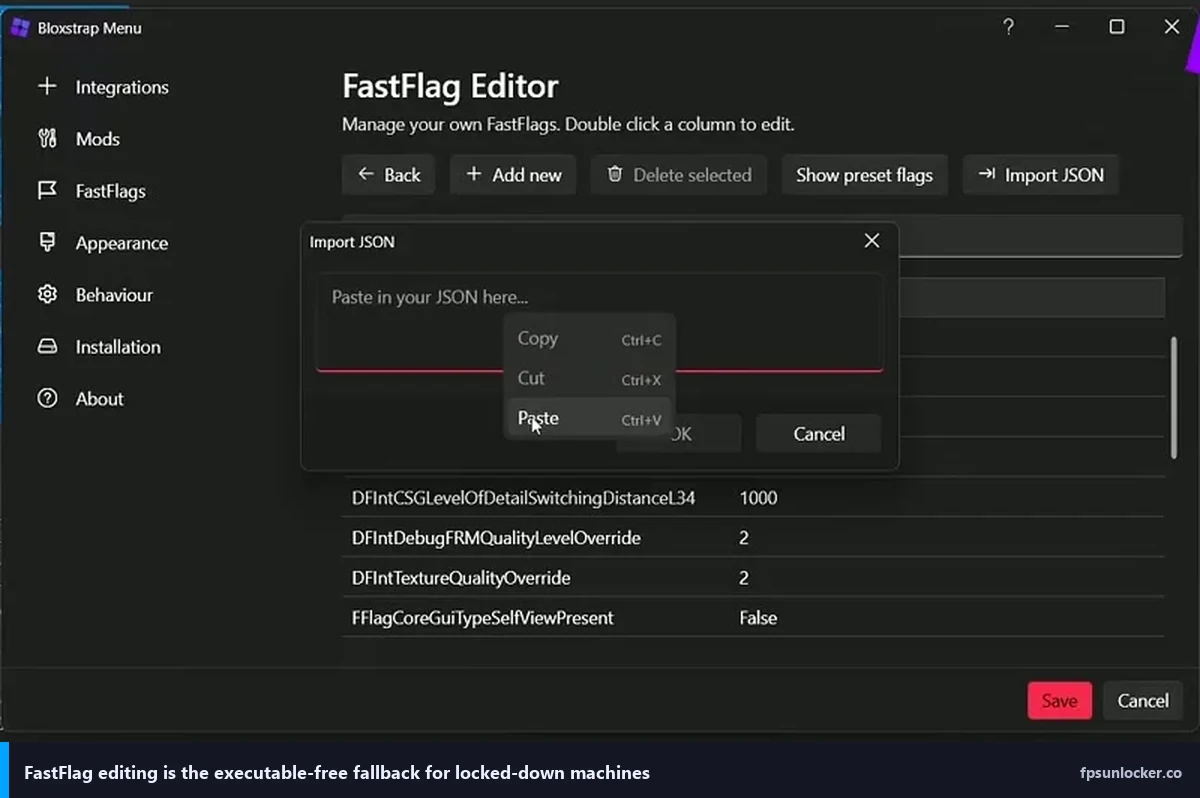
FastFlag presets are where Fishstrap gets genuinely interesting. Both launchers let you apply FastFlags through their UI instead of editing the ClientAppSettings.json file by hand. Fishstrap ships with a set of presets that aren’t in upstream Bloxstrap, including some aggressive frame-pacing configurations and a few rendering tweaks that the maintainers have tested. You can still manually add any flag you want. If you’ve been editing the file by hand, see our FastFlag FPS cap guide for the values that actually matter.
Is Fishstrap safer than just editing flags manually?
I’d call it equivalent, not safer. Any of these launchers, Bloxstrap, Fishstrap, or a hand-edited ClientAppSettings.json, are modifying the same underlying configuration that Roblox’s client reads on startup. None of them are modifying the client executable or the anti-cheat layer. Roblox has been fine with FastFlags as long as they exist; they’re used internally by the Roblox engineering team to roll features out gradually. If you’re worried about bans, I’ve covered that in our is FPS unlocker bannable article in detail. The short version is that FastFlags are a different category from client modification and have not led to bans in any pattern I’ve seen.
The advantage of a launcher over manual editing is that the launcher handles the ClientAppSettings.json file’s location, which changes every time Roblox updates the client (because the path includes a version number). Editing by hand means re-finding the file after every update. Using Fishstrap or Bloxstrap means your settings persist without that chore.
How It Compares to Bloxstrap Day-to-Day
I ran both for a week, switching between them every couple of days. On launch speed, I couldn’t feel a difference. Both launchers get you into Roblox in about the same time, and both handle the Roblox update process cleanly. On stability, both have been rock-solid. I didn’t have a single crash with either during the test period.
The FastFlag UI is where I lean slightly toward Fishstrap. The preset system saves me from copy-pasting flags out of Discord messages, and the organization of the flag list is easier to scan when I’m looking for something specific. Bloxstrap’s flag editor is perfectly functional, but it’s more minimal.
For multi-instance use, Fishstrap wins comfortably. I’d not switch to Fishstrap just for single-instance play, but if you run multiple accounts at once, it’s a meaningful improvement.
On the other hand, Bloxstrap has the larger community, more active issue tracking, and longer track record. If you want the “safest” choice, it’s Bloxstrap. Fishstrap is the “I want the extra features and I’m willing to run a smaller project” choice. Both are legitimate.
Setting Up Fishstrap
Download the latest release from the GitHub releases page. Run the installer. It’ll handle uninstalling the stock Roblox launcher and registering itself as the handler for roblox:// protocol links, which is what makes “play” buttons on the web site open the client. If you’ve already got Bloxstrap installed, Fishstrap’s installer will detect it and offer to migrate your settings. I let it do that, and the FastFlags carried over cleanly.
Open Fishstrap from the Start menu. You’ll see a settings window that looks similar to Bloxstrap but with different tab organization. The essentials you want to touch are the FastFlag section (where you can apply presets or add custom flags), the integrations section (Discord Rich Presence, activity tracking), and the appearance section if you care about custom bootscreen themes. Fishstrap ships with more built-in bootscreen themes than Bloxstrap, which is either fun or pointless depending on your priorities.
For FPS unlocking specifically, both launchers handle it the same way: through FastFlags. Roblox’s client already supports uncapped frame rates through the Max Frame Rate slider, but FastFlags let you go further and also enable some rendering behaviors that the slider doesn’t expose. The presets in Fishstrap include a “high framerate” bundle that enables the cap override along with a couple of supporting flags.
Do I still need rbxfpsunlocker with Fishstrap?
No. In 2025, Roblox added a native Max Frame Rate slider that goes up to 240, and in combination with FastFlags applied through any launcher, you can effectively uncap your framerate without running a separate external tool. rbxfpsunlocker still works, and some people prefer its system tray workflow, but it’s no longer necessary if you’re using Fishstrap or Bloxstrap. I covered the tradeoffs in the rbxfpsunlocker vs Bloxstrap comparison, and the same logic applies to Fishstrap because it’s built on the same approach.
If you’re still seeing a 60 fps cap after installing Fishstrap and enabling the high-framerate preset, something else is going on. Usually it’s VSync still being on at the driver level, or a Windows-level frame limiter. I’ve documented the common causes in our still capped at 60 fps troubleshooting piece.
Who Should Actually Use It
Fishstrap is a better fit than Bloxstrap for a specific profile. You’re running multiple Roblox accounts at once, or you’re deep enough into FastFlag experimentation that preset bundles save you time, or you just prefer a more feature-dense UI. If any of those describe you, Fishstrap is worth the install.
For casual users who want a cleaner launcher than stock Roblox and don’t care about the extras, Bloxstrap is still the easier recommendation. It’s more polished, better-documented for beginners, and the UI is less overwhelming on first launch. I’m not going to tell someone who’s been happy with Bloxstrap for a year that they need to switch.
If you’re brand new and haven’t used either, I’d start with Bloxstrap because there are more guides and more community posts to search through when you run into a question. Fishstrap’s documentation is good, but it’s smaller. Pick Bloxstrap first, get comfortable with the concept of an alternative launcher, and then try Fishstrap if you find yourself wanting features Bloxstrap doesn’t have.
Caveats and Realistic Expectations
Forks can go quiet. I’ve seen Roblox community projects abandoned when the maintainer moved on, and if that happens to Fishstrap, you’ll want to migrate back to Bloxstrap before the Fishstrap version falls behind Roblox’s client updates. Keep an eye on the release cadence. As of April 2026, Fishstrap has been receiving regular updates, so this is a theoretical concern rather than an immediate one, but it’s worth knowing.
Also: the FastFlag ecosystem is a moving target. Roblox adds and removes flags constantly, and a preset that works this month might do nothing or break something next month. Fishstrap’s maintainers update the presets when that happens, but there’s always a lag. If you apply a preset and something weird happens in-game, try disabling the preset before assuming it’s a Fishstrap bug.
I’d avoid downloading third-party FastFlag lists from random sources. Some of those lists include flags that do genuinely unhelpful things, and a few have bundled flags that interfere with anti-cheat in ways that have led to bans. The presets that ship with Fishstrap have been vetted by the maintainers. Anything pulled in from outside isn’t. Use your judgment, and when in doubt, stick to flags documented in our FastFlag guide.
Final Verdict
Fishstrap earns its spot in the launcher conversation. It’s a thoughtful fork, not a cash-grab, and the multi-instance handling alone justifies it for power users. I’m keeping it installed on my main rig alongside Bloxstrap because I switch between them depending on what I’m testing. For most readers, Bloxstrap is the first choice, and Fishstrap is the “I’ve outgrown Bloxstrap” next step.
Download from the official GitHub only, keep an eye on the release cadence, and treat FastFlag presets as a starting point rather than a magic solution. That’s the whole story on Fishstrap as of April 2026.
Alex Park has been covering Roblox performance tools since 2022. Hardware: Ryzen 5 5600, RTX 3060, 1440p 144Hz primary, plus an i5-1240P Iris Xe laptop. Last updated April 2026.